Using Laravel’s Event System Effectively
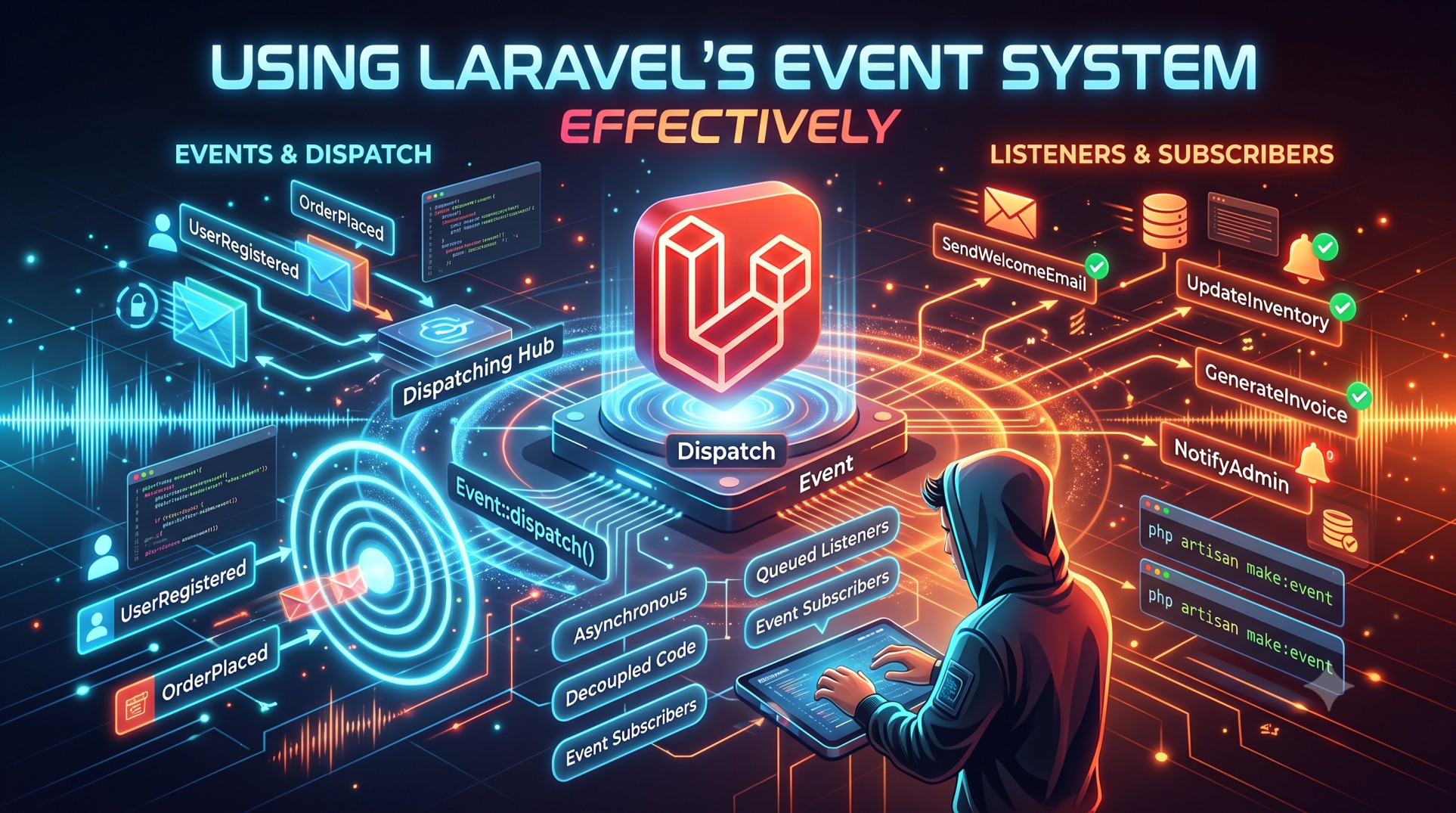
Laravel’s event system is a powerful feature that allows developers to build decoupled, maintainable, and reactive applications. It helps you execute certain actions when specific events occur, ensuring cleaner code and better scalability. Whether you’re building a notification system, logging user activity, or automating processes, Laravel events make it seamless.
In this blog, we’ll explore how to use Laravel’s event system effectively, understand its core concepts, and discuss best practices for real-world applications.
What is the Event System in Laravel?
Laravel’s event system follows the Observer design pattern, which lets different parts of an application react to events happening elsewhere. In simple terms, an event represents something that has happened, and a listener handles what should happen next.
For example, when a new user registers, you can trigger an event that sends a welcome email, logs the action, or updates user analytics — all without cluttering the registration logic.
Why Use Events in Laravel?
Events are not just about cleaner code; they improve your application architecture. Here’s why they’re essential:
1. Separation of Concerns
You can separate your core logic from the additional tasks that occur as side effects (like sending emails or logging data).
2. Better Maintainability
Since listeners are independent, updating one part of the system doesn’t affect the rest.
3. Reusability and Extensibility
Listeners can be reused across multiple events, and events can have multiple listeners responding differently.
4. Async Capabilities
When used with Laravel’s queue system, listeners can run asynchronously, improving performance.
Key Components of Laravel Events
Before diving deeper, let’s clarify the main components of Laravel’s event system:
1. Event
An event represents an action or occurrence within your application.
2. Listener
A listener is a class that handles an event. You can have multiple listeners for one event.
3. EventServiceProvider
This file registers your events and listeners. It acts as a connection point.
4. Dispatcher
Laravel’s event dispatcher is responsible for firing (or broadcasting) events and calling the appropriate listeners.
Common Use Cases for Laravel Events
Laravel events can be used in a variety of situations:
-
Sending a welcome email after registration
-
Logging user actions (login, logout, profile updates)
-
Notifying admins about system changes
-
Tracking analytics and metrics
-
Updating caches or related data asynchronously
Best Practices for Using Laravel Events
1. Keep Events Simple
Events should only describe what happened — not how to handle it. Keep your event classes clean and lightweight.
2. Avoid Heavy Logic in Listeners
If your listener performs a resource-intensive task (like sending emails or updating reports), queue it instead of executing it immediately.
3. Use Queued Listeners for Performance
By implementing the ShouldQueue interface, your listener runs as a queued job, preventing delays in user-facing processes.
4. Name Events and Listeners Clearly
Use descriptive names like UserRegistered or OrderShippedListener so that your code remains readable and self-explanatory.
5. Group Related Events
Keep related event and listener files together for easier management. Laravel’s folder structure under app/Events and app/Listeners helps maintain organization.
6. Handle Failures Gracefully
If a listener fails (like an email not sending), Laravel’s queue system allows retries. Always implement proper error handling.
Event Broadcasting in Laravel
Event broadcasting lets you share real-time events with the frontend using tools like Laravel Echo and Pusher.
For instance, you can broadcast a NewMessageSent event in a chat app so that other users instantly receive it without refreshing the page.
Broadcasting is especially useful for:
-
Live notifications
-
Chat systems
-
Activity feeds
-
Real-time dashboards
When broadcasting, define your event to implement the ShouldBroadcast interface. Laravel automatically sends this event to a broadcasting service.
Debugging and Monitoring Events
To ensure everything runs smoothly:
-
Use Laravel’s
php artisan event:listcommand to see all registered events and listeners. -
Use Laravel Telescope or Log files to monitor when events are fired and listeners are executed.
Monitoring helps identify performance bottlenecks and ensures all events trigger as expected.
When Not to Use Events
While Laravel’s event system is powerful, not every scenario needs it. Avoid overusing events when:
-
The action is tightly coupled with the main logic and doesn’t require separation.
-
The event adds unnecessary complexity to a simple workflow.
-
You need immediate results rather than deferred processes.
Keep your architecture simple — use events only when there’s a clear benefit.
Combining Events with Other Laravel Features
Events become even more powerful when combined with:
-
Notifications: Trigger notifications automatically when specific events occur.
-
Queues: Offload heavy listeners to queues for faster response times.
-
Observers: Simplify model-based events for create/update/delete actions.
-
Broadcasting: Build real-time applications using WebSockets or broadcasting services.
This modular approach makes your Laravel app scalable, maintainable, and reactive.
Conclusion
Laravel’s event system is one of the most elegant and flexible ways to handle asynchronous tasks, real-time notifications, and clean code organization. By separating your application’s main logic from secondary actions, events help improve readability, maintainability, and performance.
When used correctly — with queued listeners, clear naming, and proper monitoring — Laravel events become a powerful ally in building responsive and scalable web applications.
Whether you’re logging user activity, sending notifications, or integrating live updates, Laravel’s event-driven architecture ensures your app runs smoothly and efficiently.


