Setting Up CI/CD for Laravel Apps
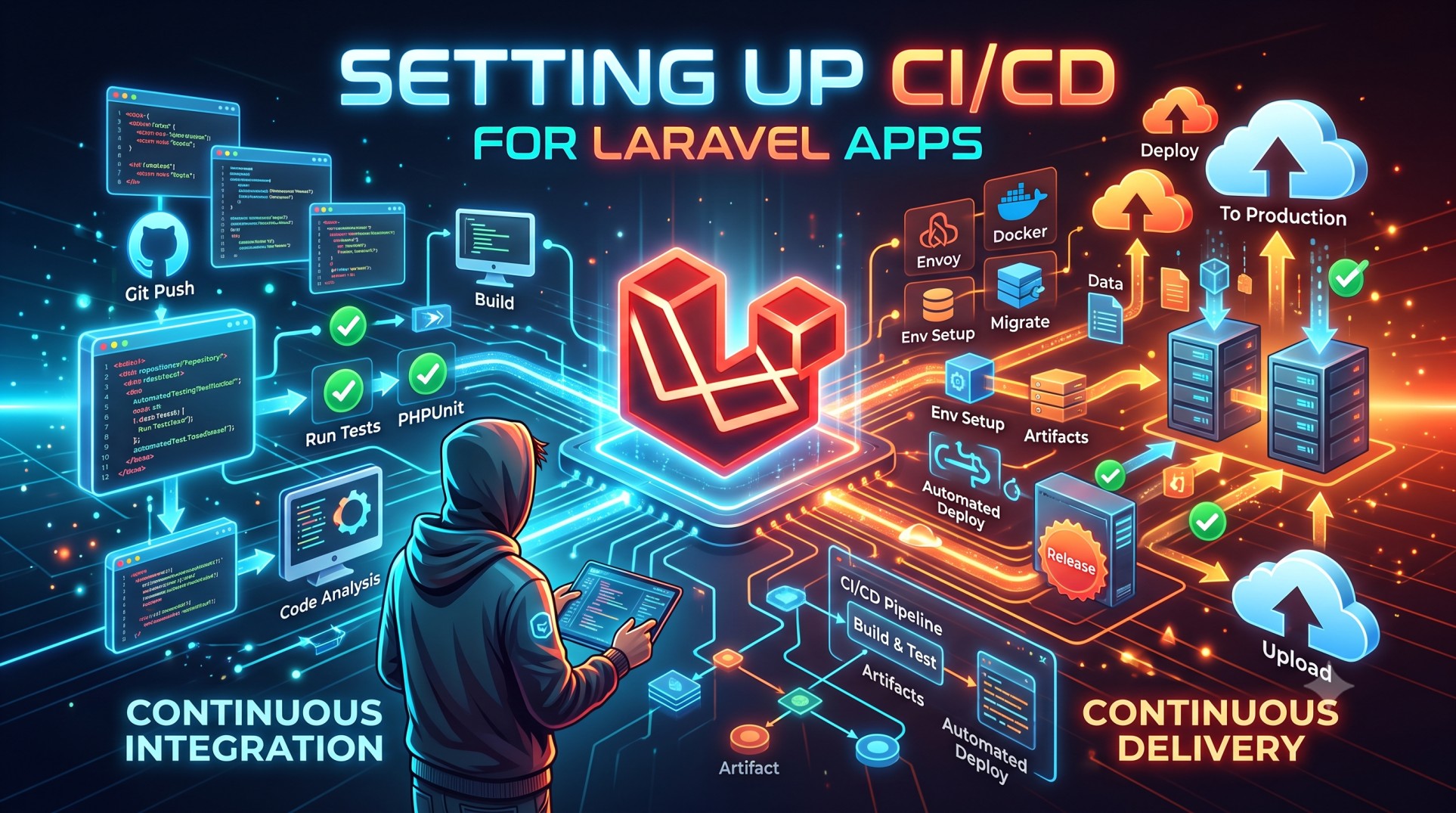
Continuous Integration and Continuous Deployment (CI/CD) have become essential practices for modern development teams. They ensure that every code change in your Laravel application is tested, integrated, and deployed automatically, leading to faster delivery and fewer bugs. Setting up a CI/CD pipeline for Laravel helps you maintain consistency across environments and improve collaboration among developers.
In this article, we’ll explore how to set up CI/CD for Laravel applications, understand the workflow, discuss popular tools, and share best practices to streamline your deployment process.
1. Understanding CI/CD in Laravel
Before diving into the setup, let’s break down what CI/CD means in the context of Laravel.
-
Continuous Integration (CI): This process ensures that code changes from multiple developers are integrated into the main branch regularly. CI runs automated tests and checks for potential issues, allowing teams to detect bugs early in the development cycle.
-
Continuous Deployment (CD): After the code passes all automated checks, it is automatically deployed to staging or production environments. This removes manual intervention, reduces human errors, and accelerates release cycles.
Laravel, being a modern PHP framework, supports a range of DevOps tools and practices. Integrating CI/CD ensures your app remains stable, scalable, and easy to maintain.
2. Why Laravel Needs CI/CD
Laravel applications benefit greatly from automation because they often involve frequent updates, multiple contributors, and a wide range of dependencies. Without a CI/CD pipeline, manual deployment can be error-prone and time-consuming.
Here’s why implementing CI/CD for Laravel makes a difference:
-
Automated Testing: Run PHPUnit or Pest tests automatically after each commit.
-
Version Control Integration: GitHub, GitLab, or Bitbucket can trigger pipelines automatically.
-
Faster Releases: Deploy updates to production with confidence.
-
Consistent Environments: Eliminate the “works on my machine” problem.
-
Improved Collaboration: Developers focus on writing code, not on deployment steps.
3. Tools for CI/CD in Laravel
There are several tools you can use to implement CI/CD for Laravel apps. The choice depends on your hosting environment, budget, and team size.
Popular CI/CD tools include:
-
GitHub Actions: Natively integrates with GitHub repositories.
-
GitLab CI/CD: A built-in solution for GitLab users with flexible pipelines.
-
Bitbucket Pipelines: Suitable for Atlassian users.
-
CircleCI & Travis CI: Cloud-based options with great integration features.
-
Jenkins: An open-source and self-hosted CI/CD tool for full control.
-
Laravel Forge & Envoyer: Official Laravel tools for zero-downtime deployment.
Each tool supports YAML-based configuration files that define your CI/CD pipeline steps — from code testing to deployment.
4. Preparing Your Laravel App for CI/CD
Before setting up the actual pipeline, you need to make sure your Laravel project is ready for automation.
a. Use Environment Variables
Ensure sensitive data like database credentials, API keys, and storage settings are stored in the .env file and not hard-coded. CI/CD tools often inject environment variables during deployment.
b. Version Control
Push your Laravel project to a Git repository (e.g., GitHub or GitLab). Each commit will trigger the CI/CD workflow automatically.
c. Testing Setup
Set up your unit and feature tests using PHPUnit or Pest. CI will run these tests before deployment to catch issues early.
d. Dependencies
Use Composer to manage dependencies and include a composer.lock file to ensure consistency across environments.
5. CI/CD Workflow for Laravel
A typical CI/CD workflow for Laravel follows these steps:
-
Commit and Push Code: Developer commits code to the repository.
-
CI Trigger: The pipeline automatically starts.
-
Install Dependencies: Composer installs Laravel dependencies.
-
Run Tests: PHPUnit or Pest tests execute.
-
Build Assets: If using Laravel Mix or Vite, assets are compiled.
-
Deploy to Server: Code is pushed to staging or production.
-
Post-Deployment Checks: Cache is cleared, and migrations are run.
This entire process happens automatically, ensuring that your app is always production-ready.
6. Deployment Options for Laravel
Laravel can be deployed to various platforms, depending on your infrastructure setup:
-
Shared Hosting: Basic FTP-based deployment (not ideal for CI/CD).
-
VPS or Dedicated Server: Automate with tools like Jenkins or GitHub Actions.
-
Cloud Platforms: AWS, DigitalOcean, Linode, and Google Cloud offer scalable setups.
-
Laravel Forge & Envoyer: Perfect for seamless, zero-downtime deployments.
Using Envoyer is particularly beneficial for Laravel projects because it integrates well with Git and handles cache clearing, migrations, and queue restarts automatically.
7. Best Practices for CI/CD in Laravel
Here are some best practices to make your Laravel CI/CD pipeline more efficient:
a. Use Separate Environments
Keep development, staging, and production environments isolated. This ensures that new changes are tested thoroughly before going live.
b. Automate Testing
Include both unit and feature tests in your CI pipeline. For example, run php artisan test after each commit.
c. Optimize Composer Installations
Use composer install --no-dev --optimize-autoloader for production builds to reduce deployment time and memory usage.
d. Cache Configuration
Add commands like:
to your deployment script for faster app performance.
e. Database Migrations
Run database migrations automatically after deployment using:
This ensures the database stays in sync with your latest code.
f. Rollback Strategy
Always have a rollback plan. Tools like Envoyer support rolling back to the previous stable release if deployment fails.
g. Security and Secrets Management
Use your CI/CD tool’s secrets manager to store sensitive data. Never commit API keys or credentials to version control.
8. Benefits of CI/CD for Laravel Teams
Once you have a stable CI/CD setup, your development process becomes significantly smoother.
-
Reduced Human Error: Automation eliminates manual mistakes during deployment.
-
Faster Releases: You can release new features multiple times a day.
-
Consistent Deployments: Every environment receives the same codebase and configuration.
-
Higher Code Quality: Automated testing ensures reliability.
-
Team Productivity: Developers can focus on building features instead of deployment tasks.
These advantages compound over time, making CI/CD a must-have for professional Laravel teams.
9. Common Mistakes to Avoid
Even with automation, developers sometimes make mistakes that can break the CI/CD pipeline.
-
Not including test coverage.
-
Forgetting to clear caches post-deployment.
-
Using the same
.envfile for all environments. -
Not setting proper permissions for
storageandbootstrap/cache. -
Ignoring failed build notifications.
Monitoring your pipeline and reviewing logs regularly helps prevent these issues.
10. Conclusion
Setting up CI/CD for your Laravel application is no longer optional — it’s essential for ensuring scalability, security, and reliability. By automating testing and deployment, you can deliver new features quickly and confidently while minimizing downtime and bugs.
Whether you’re a solo developer using GitHub Actions or part of a large team using Jenkins or GitLab CI, embracing CI/CD principles will transform how you build and maintain Laravel applications. The key is to start simple, automate step by step, and refine your pipeline as your project grows.


