Laravel SaaS Billing Setup with Chargebee
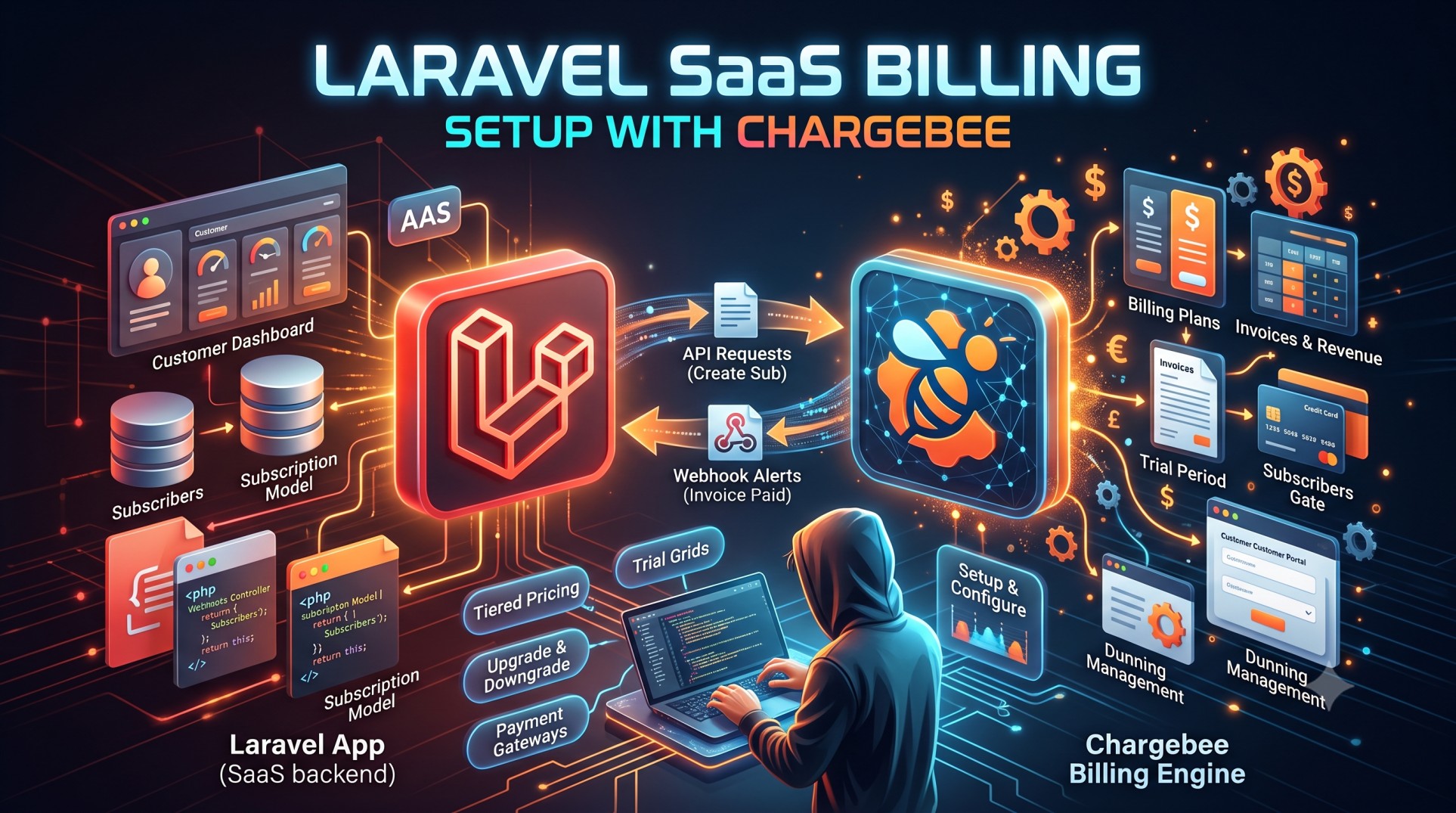
Building a Software-as-a-Service (SaaS) business involves far more than just functionality. Once user authentication, dashboards, and product features are ready, you must plan how to bill customers, manage subscriptions, handle trials, downgrades, invoices, and taxes at scale. This is where Chargebee becomes a powerful partner.
Chargebee is a subscription billing platform designed specifically for recurring revenue businesses. When paired with the flexibility of Laravel, it unlocks a complete subscription system that you can launch rapidly while staying compliant with payment regulations.
This article explains how Laravel developers can set up SaaS billing using Chargebee, why this combination works, and the best practices to follow when building a robust recurring revenue model.
Why Chargebee?
Before diving into the Laravel side, it's important to understand why Chargebee is a top choice in SaaS billing:
-
Handles recurring billing lifecycle
-
Supports trials, coupon codes, proration
-
Sends invoices and collects taxes
-
Offers dunning (failed payment recovery)
-
Integrates with Stripe/PayPal
-
Manages customer upgrades/downgrades
With these features, Chargebee becomes more than just a payment gateway — it operates as the financial brain of your SaaS.
Why Laravel Fits Perfectly With Chargebee
Laravel is known for its expressive syntax, cache-friendly architecture, and production-ready tools such as queues, events, and middleware. For SaaS billing, these strengths translate to:
-
Smooth separation of business and billing logic
-
Easy secure communication with Chargebee’s API
-
Real-time subscription state updates
-
Structured workflows for upgrades, downgrades, cancellations
Laravel’s ecosystem makes subscription billing integration intuitive, even if you’re not a payments expert.
Core Concepts in Laravel SaaS Billing
Before integrating Chargebee, developers should understand the subscription lifecycle:
1. Plans and Pricing
Your SaaS may offer:
-
Monthly subscriptions
-
Annual subscriptions
-
Tiered pricing (e.g., Basic, Pro, Enterprise)
-
Usage-based billing
Chargebee can model all of these.
2. Customer Profiles
Laravel apps typically store users in the users table. Chargebee mirrors this with customer records:
-
Name
-
Email
-
Payment method
-
Address (for tax compliance)
Your app must sync these identifiers.
3. Subscriptions
A user can be:
-
Active
-
Paused
-
Cancelled
-
Past due
Laravel stays aware through Chargebee’s webhook events.
The Payment Workflow (Conceptual)
A typical subscription flow looks like this:
-
User signs up for your SaaS
-
User selects a plan (e.g., Starter or Pro)
-
Redirect to Chargebee’s secure hosted components
-
User enters payment details
-
Chargebee creates a subscription
-
Chargebee notifies Laravel via webhook
-
Laravel grants feature access based on the plan
This flow avoids PCI compliance burdens since card data never touches your servers.
Hosted Pages vs. JS Components
Chargebee provides two primary integration methods:
Hosted Checkout Pages
-
Fully PCI-compliant
-
Easy to style
-
Less engineering effort
Ideal for early-stage SaaS.
Embedded Billing Components
-
More control over UI/UX
-
Integrates directly into your Laravel front-end
Better for mature products.
Plan Management in SaaS
The moment billing exists, users must be able to:
-
Upgrade to higher plans
-
Downgrade to cheaper plans
-
Pause billing temporarily
-
Switch billing cycles (monthly ↔ yearly)
Chargebee calculates prorated adjustments automatically.
Laravel simply updates user access rules based on subscription state.
Free Trials and Setup Fees
Trial periods can drastically improve conversion rates. Chargebee supports:
-
Fixed length free trials
-
Trials with or without payment method
-
Paid onboarding/setup fees
In Laravel, you can check trial status in middleware and restrict access accordingly.
Usage-Based Billing
Some SaaS platforms charge based on:
-
Number of API requests
-
Number of seats/users
-
Data storage
Chargebee supports metered billing — you send usage records periodically, and Chargebee adds them to invoices automatically.
Laravel can measure usage through events, logs, or job counters.
Coupon Codes and Discounts
Marketing campaigns thrive on incentives. Chargebee supports:
-
Percentage discounts
-
Fixed amount discounts
-
Time-limited promotions
-
Lifetime coupons
Laravel can expose discount selection during onboarding.
Compliance and Invoicing
Subscription billing has strict compliance rules:
-
VAT/GST collection
-
Country-based tax rules
-
Invoice numbering
-
Refunds and credits
Chargebee handles compliance automatically, preventing legal complexity.
Laravel simply displays invoice history to customers via dashboards.
Dunning and Payment Recovery
Failed payments are common — expired cards, insufficient funds, bank declines.
Chargebee automatically:
-
Sends reminder emails
-
Retries payments on schedule
-
Automatically suspends service if overdue
Laravel only needs to listen for webhook events to update user access.
Webhooks in Subscription Lifecycle
Chargebee sends webhook notifications for events like:
-
Subscription created
-
Payment failed
-
Invoice generated
-
Card expired
-
Subscription cancelled
Laravel receives these events and updates:
-
Access tier
-
Active flags
-
Renewal dates
This keeps application state and billing state synchronized.
Multiple Payment Gateways
Chargebee abstracts away different payment processors:
Supports:
-
Stripe
-
PayPal
-
Razorpay
-
Braintree
-
Amazon Payments
You can switch providers without refactoring your Laravel code.
Tax Handling and Regional Compliance
Global SaaS typically needs:
-
EU VAT rules
-
India GST
-
US state jurisdiction tax
-
Threshold calculations
Chargebee automatically calculates taxes based on:
-
Location
-
Exemptions
-
Reverse charge rules
Laravel remains tax-agnostic; data flows from Chargebee’s tax engine.
Role-Based Access After Billing
Common pattern:
-
Free tier = limited features
-
Paid tier = unlock full functionality
-
Enterprise tier = priority support
Laravel’s authorization gates can read subscription status to apply:
-
Feature flags
-
Limits
-
Permissions
Managing Seats (User Limits)
If your SaaS charges per seat:
-
Chargebee stores quantity
-
Laravel enforces seat count
-
Admins add/remove seats in the app
This matches modern team-based SaaS models.
Analytics and Revenue Insights
Chargebee provides dashboards for:
-
Monthly Recurring Revenue (MRR)
-
Churn rate
-
Average Revenue per User (ARPU)
-
Lifetime Value (LTV)
These insights guide product decisions.
Laravel can surface high-level metrics to internal admin dashboards using Chargebee’s reporting API.
International Expansion and Multi-Currency
Chargebee makes global operations easy:
-
Different currencies
-
Regional tax rules
-
Localized invoices
Laravel stores the currency/customer mapping locally.
Security & Compliance Considerations
With Chargebee:
-
You avoid storing payment data
-
PCI DSS compliance offloaded
-
Fraud checks included
Laravel focuses on user authentication, not card security.
Best Practices for Laravel + Chargebee Integration
To run a reliable SaaS business:
Use Webhooks for State Sync
Don’t trust only client-side redirects.
Store essential subscription fields
Plan ID, next billing date, status.
Cache usage metrics
Avoid unnecessary API calls.
Handle dunning gracefully
Warn users before restricting access.
Provide self-service portals
Let users:
-
Download invoices
-
Update cards
-
Cancel subscriptions
Chargebee has ready-made components.
Common Pitfalls to Avoid
Developers frequently struggle with:
-
Mixing Stripe logic and Chargebee logic
-
Storing card data locally
-
Not handling proration
-
Forgetting timezone differences
-
Ignoring tax implications
Chargebee’s documentation mitigates most of these risks.
Scaling Your SaaS with Laravel and Chargebee
As you grow:
-
Enterprise plans become custom quotes
-
Seat licensing expands
-
Multi-team management emerges
-
Usage billing becomes complex
Chargebee’s APIs scale to millions of invoice events per month.
Laravel’s queue workers handle asynchronous workloads effortlessly.
Conclusion
Building subscription billing into a Laravel SaaS doesn’t have to be overwhelming. Chargebee handles all the complexity of invoicing, taxes, prorations, coupons, payment recovery, and compliance — allowing you to focus on product value.
Laravel’s clean architecture ensures your application remains maintainable, scalable, and secure as customer subscriptions evolve.
Whether your SaaS is just launching or scaling globally, the combination of Laravel + Chargebee provides the reliability and flexibility needed for long-term success. By understanding subscription lifecycle, webhook synchronization, and role-based feature gating, you can deliver a frictionless billing experience that converts free users and retains paying customers.


