Laravel Queue Worker Optimization
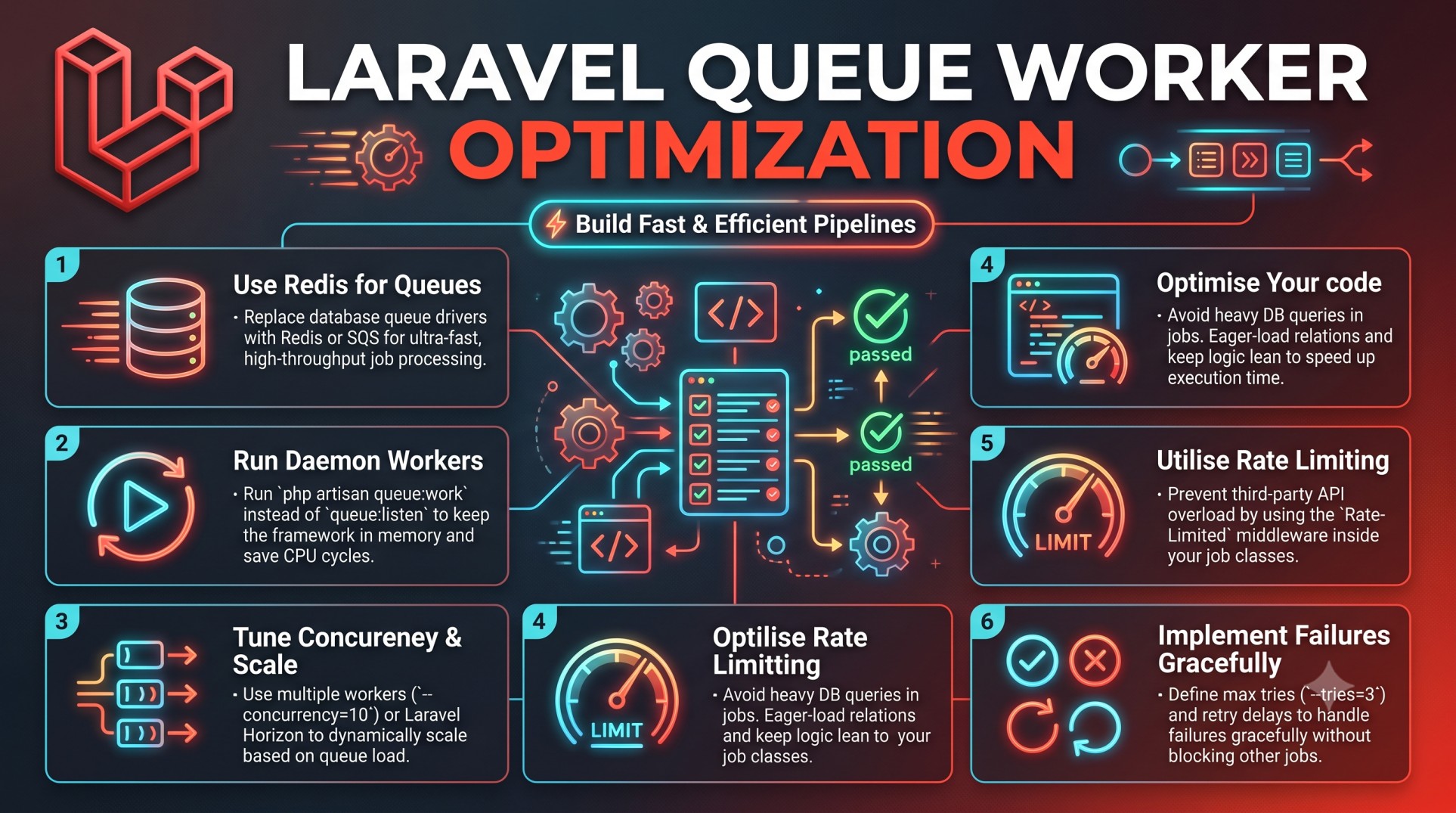
In modern web applications, asynchronous processing is key to delivering high performance and scalability. Laravel’s queue system provides a powerful way to handle time-consuming tasks like sending emails, processing uploads, or integrating APIs in the background — keeping your user experience smooth and responsive.
However, as your application grows and traffic increases, your queue system must evolve with it. Simply running php artisan queue:work isn’t enough for high-performance production systems.
This is where queue worker optimization comes in. By fine-tuning Laravel’s queue configuration, balancing worker load, and leveraging tools like Horizon, you can dramatically boost throughput, reliability, and cost efficiency.
In this post, we’ll break down the most effective strategies to optimize Laravel queue workers, ensuring your jobs run faster, consume fewer resources, and never miss a beat.
Why Laravel Queues Matter
Queues allow you to offload heavy or time-consuming tasks from the main request lifecycle. This means the user doesn’t have to wait for operations like:
-
Sending confirmation emails
-
Generating invoices or reports
-
Processing media files
-
Syncing data with external APIs
Instead, these tasks are handled asynchronously by queue workers running in the background.
Without proper optimization, however, queues can quickly become a bottleneck — with delayed jobs, high CPU usage, or memory leaks affecting system stability.
That’s why optimizing your queue workers is not just a performance concern — it’s essential for application reliability and scalability.
How Laravel Queue Workers Operate
Laravel queue workers are long-running processes that monitor your queue system (like Redis, SQS, or database queues) and execute jobs as they become available.
When a worker receives a job, it:
-
Pulls it from the queue.
-
Executes the assigned logic.
-
Deletes or retries it depending on success or failure.
This continuous loop is efficient, but without optimization, workers can:
-
Consume unnecessary memory.
-
Run indefinitely and hang.
-
Overload servers under heavy queues.
-
Fail to recover from job crashes.
To avoid these pitfalls, Laravel offers numerous configuration options — and with careful tuning, you can make your workers both faster and more resilient.
Common Queue Drivers and Their Impact
Before optimizing, it’s essential to understand how your queue driver affects performance. Laravel supports several drivers, each suited for different use cases:
-
Database Queue
-
Easy to set up but slower since it relies on database reads/writes.
-
Suitable for small applications or low-volume tasks.
-
-
Redis Queue
-
Fast, in-memory storage with near real-time performance.
-
Ideal for high-throughput applications.
-
-
Amazon SQS / Cloud Queues
-
Highly scalable and serverless.
-
Best for distributed or enterprise applications.
-
-
Beanstalkd / RabbitMQ
-
Stable message queues with great performance under load.
-
Choosing the right driver is the first step in optimizing your Laravel queue system.
Core Principles of Queue Worker Optimization
Optimization isn’t just about speed — it’s about balance, reliability, and cost. Here are the main areas to focus on:
-
Efficient Worker Configuration
-
Optimal Queue Connection and Driver Choice
-
Memory and Process Management
-
Retry and Failure Handling
-
Monitoring and Auto-scaling
-
Job Design Optimization
Let’s break these down in more detail.
1. Optimize Worker Configuration
Your queue workers’ behavior is defined by the queue:work command options. Configuring these correctly can have a major impact.
For instance:
-
Sleep time: The delay between worker checks. Lower sleep times reduce job latency but increase CPU usage.
-
Tries: Defines how many times a job is retried before failing.
-
Max-jobs / max-time: Allows workers to restart automatically after processing a number of jobs or after a set duration — preventing memory leaks.
A good balance ensures jobs are processed quickly without exhausting resources.
2. Use Laravel Horizon for Advanced Control
If you’re running Redis queues, Laravel Horizon is your best friend. It provides a beautiful dashboard, real-time metrics, and automatic balancing of workers.
Key advantages of Horizon:
-
Real-time monitoring of queue throughput, job times, and failures.
-
Automatic worker balancing across queues.
-
Easy scaling via configuration files.
-
Built-in retry and timeout controls.
For production applications, Horizon is indispensable. It takes the guesswork out of optimization by offering insights into performance bottlenecks and queue trends.
3. Manage Memory and Process Lifecycles
Queue workers can run indefinitely — which means memory leaks, stale connections, and slow performance can creep in over time.
Laravel provides two parameters to combat this:
-
--max-jobs— restarts the worker after processing a set number of jobs. -
--max-time— restarts the worker after a specific duration.
Restarting workers periodically helps maintain memory stability. Additionally, you can use:
-
Supervisor or systemd to ensure workers automatically restart if they crash.
-
php artisan queue:restartto gracefully reload workers after a deployment.
This ensures long-running systems stay healthy and responsive.
4. Balance Job Load Across Queues
For high-traffic applications, not all jobs are created equal. Some tasks (like sending notifications) can be processed quickly, while others (like generating reports) take longer.
You can separate jobs into multiple queues — e.g., emails, reports, notifications — and assign workers based on priority.
For instance:
-
Run more workers on the
emailsqueue for faster delivery. -
Assign fewer workers to the
reportsqueue since it handles slower jobs.
This targeted allocation ensures no single queue blocks the entire system.
5. Use Caching and Database Optimization
Queue jobs often interact with the database or other services. Slow queries or heavy Eloquent operations can degrade queue performance.
Best practices include:
-
Using Eager Loading to avoid N+1 query issues.
-
Minimizing large data processing within jobs — offload heavy computation to background scripts.
-
Leveraging Laravel caching (Redis or Memcached) to store reusable data and reduce query load.
By optimizing job logic, you not only speed up processing but also reduce infrastructure costs.
6. Tune Retry and Failure Handling
No queue system is perfect — jobs will occasionally fail due to network issues, API timeouts, or database deadlocks.
Optimized queues handle these gracefully:
-
Define retry limits and backoff times to avoid repeated failures.
-
Use failed jobs tables to log and review failures.
-
Implement automatic retry strategies with exponential backoff.
Laravel Horizon or custom scripts can notify you instantly when failures spike — allowing proactive issue resolution.
7. Scale Horizontally and Use Load Balancers
As your application grows, you’ll need more workers to handle job volume. Instead of increasing power on a single machine, scale horizontally by adding multiple queue servers.
Using cloud services like AWS, DigitalOcean, or Forge, you can:
-
Deploy multiple queue worker instances.
-
Distribute jobs evenly through Redis or SQS.
-
Use auto-scaling groups to dynamically adjust worker count during peak traffic.
Horizontal scaling ensures your queue system remains robust under fluctuating loads.
8. Monitor and Benchmark Continuously
Optimization is an ongoing process. Use performance metrics to track and adjust queue behavior in real time.
Monitor key metrics such as:
-
Average job processing time
-
Job failure rate
-
Queue size growth trends
-
Worker CPU and memory usage
Tools like Laravel Horizon, Blackfire, or New Relic can visualize performance and help identify bottlenecks. Continuous monitoring ensures your optimizations stay effective as your application evolves.
9. Keep Jobs Lightweight and Independent
A crucial rule of queue optimization: keep each job small and self-contained.
Jobs that take too long or depend on external systems can block workers and cause cascading delays. Instead:
-
Split complex operations into multiple smaller jobs.
-
Use chained jobs for dependent processes.
-
Avoid large loops or data-heavy transformations within a single job.
This modular approach ensures faster execution and simpler debugging when something goes wrong.
10. Automate Queue Management
Manually restarting workers, scaling queues, or clearing failed jobs can be tedious. Automate these tasks using tools like:
-
Supervisor configurations to manage process restarts.
-
Cron jobs for clearing old failed jobs.
-
CI/CD scripts that trigger
queue:restartafter deployments.
Automation reduces human error and ensures continuous uptime.
Real-World Benefits of Queue Optimization
Optimizing Laravel queue workers can lead to measurable improvements:
-
50–70% faster job processing times with Redis + Horizon tuning.
-
Lower memory usage due to controlled restarts.
-
Reduced cloud costs through better scaling and batching.
-
Higher reliability, as failed jobs are detected and retried intelligently.
These improvements directly enhance user satisfaction and keep operations running smoothly even under high load.
Conclusion
Queues are the heartbeat of modern Laravel applications — silently powering background tasks, scaling user experiences, and ensuring smooth performance under pressure. But like any system, they need tuning to operate at peak efficiency.
By following best practices — optimizing worker lifecycles, using Laravel Horizon, managing memory, and balancing load — you can transform your queue system into a high-performance backbone for your application.
Whether you’re handling hundreds or millions of jobs per day, Laravel queue worker optimization ensures your background processing is as fast, reliable, and efficient as the rest of your app.
In the long run, it’s not just about faster jobs — it’s about building an application that scales effortlessly and delivers a seamless experience to every user, every time.


