Laravel Notifications via Slack & Mail
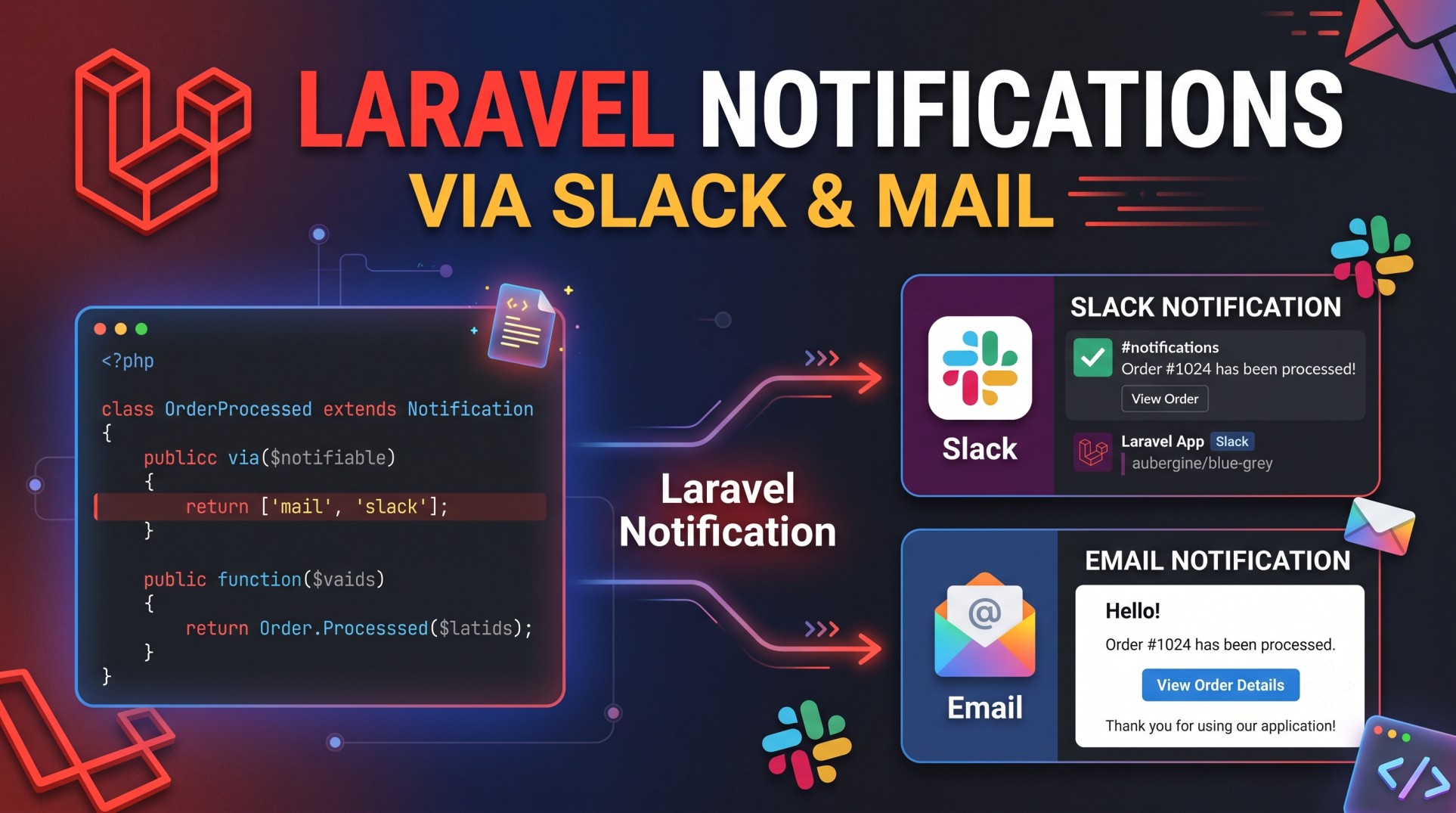
In modern web applications, users and teams expect real-time communication. Whether it’s an order confirmation, an error alert, or a system update, timely notifications enhance user experience and operational efficiency. Laravel, known for its elegance and simplicity, offers a powerful Notification system that helps developers send alerts through various channels like email, SMS, database, Slack, and more — all from a single, unified structure.
Among these channels, Slack and Mail stand out for their effectiveness and flexibility. Slack allows teams to stay updated instantly through workplace chat, while Mail notifications keep users informed in a more formal and personalized way. This guide explores how Laravel simplifies the process of sending notifications through both channels and how you can make the most of them to build smarter, more connected applications.
Understanding Laravel’s Notification System
Laravel’s notification system is built around the concept of reusable and channel-agnostic messages. Instead of writing separate logic for each communication method, you can create one notification and send it through multiple platforms.
For example, when a new user registers or an order is placed, Laravel can automatically send an email to the customer and a Slack message to your internal team. This unified system makes it easy to maintain consistency and avoid duplicate work.
Notifications in Laravel can be sent to individuals (like users or admins) or broadcasted to multiple recipients, depending on your requirements. They can contain dynamic content, such as user names, order details, or system messages, giving you full control over personalization and delivery.
Why Use Slack and Mail for Notifications
While Laravel supports many channels, Slack and Mail are among the most commonly used because they serve distinct but complementary purposes.
Mail notifications are ideal for user-facing communication — registration confirmations, password resets, invoices, and account updates. They provide a record of communication and can be styled to match your brand identity.
Slack notifications, on the other hand, are perfect for internal team communication. Instead of checking emails or dashboards, your team can receive instant updates directly within Slack. This is especially useful for alerts, new registrations, failed transactions, or error monitoring.
Together, these two channels create a balanced communication system that serves both your customers and your team.
How Laravel Integrates Slack & Mail
Laravel provides built-in support for both Slack and Mail notifications. Developers don’t have to set up complex APIs or manually integrate services — everything works seamlessly through configuration files and environment variables.
The Mail channel uses Laravel’s mailing system, which supports various mailers like SMTP, Mailgun, Postmark, and Amazon SES. It handles tasks like authentication, formatting, and queuing automatically.
The Slack channel relies on an incoming webhook provided by Slack. Once you connect your Laravel app to Slack using this webhook, Laravel can post messages directly into your chosen Slack channel. This can include plain text, attachments, or even emojis for better readability.
This simplicity allows developers to focus on the message rather than the integration.
Benefits of Using Laravel Notifications
-
Unified Architecture – Laravel lets you manage all notification channels through a single, cohesive structure.
-
Ease of Configuration – Setting up Slack and Mail only requires simple configuration updates, not extensive coding.
-
Personalization – Each notification can dynamically include user data, making every message relevant and engaging.
-
Scalability – With Laravel’s queue system, notifications can be processed asynchronously to handle large-scale applications.
-
Multi-Channel Flexibility – You can send the same message through multiple platforms without duplicating logic.
-
Maintainability – All notifications live in one place, making future updates or channel additions easier.
These benefits make Laravel’s system ideal for applications that prioritize user engagement and instant communication.
When to Use Slack Notifications
Slack notifications shine in situations where real-time updates are critical. Common use cases include:
-
System Alerts: Instantly notify your dev team about errors, exceptions, or server downtime.
-
New Registrations: Let your marketing or support team know when a new user signs up.
-
Order Updates: Inform your sales team about new orders or cancellations.
-
Monitoring Reports: Share automated performance summaries or daily analytics.
Slack notifications are particularly valuable because they integrate seamlessly into existing workflows. Your team doesn’t need to leave Slack to stay updated — alerts appear instantly in your preferred channel, keeping communication fast and centralized.
When to Use Mail Notifications
Email remains one of the most professional and widely accepted channels for user communication. Laravel’s Mail notifications work best for:
-
User Sign-Ups: Sending welcome messages or account verification links.
-
Transactional Emails: Invoices, receipts, and order confirmations.
-
Password Management: Reset and recovery notifications.
-
Marketing & Updates: Announcements, offers, and newsletters.
Unlike Slack messages, emails can be styled and branded, allowing businesses to maintain a consistent identity. They also act as a permanent record that users can refer back to, which is useful for legal or transactional communication.
Combining Slack & Mail for Smarter Communication
The real power of Laravel notifications lies in combining channels. You don’t have to choose between Slack and Mail — Laravel lets you use both at once.
For instance, when a new user registers:
-
The user receives a personalized welcome email with login details.
-
The admin team receives an instant Slack message notifying them of the registration.
This dual-notification setup ensures transparency and speed — users feel valued, and teams stay informed.
Similarly, for order systems, an order confirmation email can be sent to the customer while an internal Slack message alerts the fulfillment team. This eliminates communication delays and reduces manual coordination.
Improving Performance with Queued Notifications
In high-traffic applications, sending multiple notifications simultaneously can affect performance. Laravel addresses this with queued notifications, which process messages in the background.
Queued notifications ensure that the user’s experience remains smooth, even when hundreds of notifications are triggered at once. This approach also provides better reliability and error handling, especially when dealing with APIs or mail servers that have rate limits.
Best Practices for Laravel Notifications
To make the most of Laravel’s notification system, developers should follow a few key practices:
-
Use Environment Variables: Store sensitive information like Slack webhooks and mail credentials in your
.envfile. -
Organize Notifications Clearly: Keep each notification in its own file with descriptive names.
-
Use Queues: Always queue your notifications for better speed and scalability.
-
Avoid Over-Notification: Send only essential updates to prevent user fatigue.
-
Add Personalization: Include user-specific details to make messages feel meaningful.
-
Monitor Delivery: Keep logs or database records of notifications to track what’s been sent.
-
Test Thoroughly: Always verify that Slack and Mail notifications are working correctly before deploying changes.
Following these best practices ensures your system remains efficient, secure, and user-friendly.
Common Use Cases Across Applications
Laravel’s Slack and Mail notifications can be applied to virtually any type of web app. A few real-world examples include:
-
E-commerce platforms: Send users order updates while notifying admins about stock or delivery issues.
-
SaaS applications: Alert customers about plan renewals, payment issues, or performance reports.
-
Learning platforms: Notify students via email and instructors via Slack about course updates or submissions.
-
Internal tools: Use Slack for instant operational alerts and Mail for official reports or updates.
This versatility makes Laravel’s notification system valuable across industries — from startups to enterprise systems.
Conclusion
Laravel’s notification system perfectly balances power and simplicity. With built-in support for Slack and Mail, developers can create a seamless communication flow between users and teams.
Slack notifications enhance real-time collaboration, while Mail ensures professional and personalized user communication. Together, they create a robust framework for delivering critical information efficiently.
Whether you’re building a small web application or managing an enterprise system, Laravel’s Slack and Mail notifications can help you keep everyone informed, engaged, and connected — all with minimal setup and maximum impact.
In a world where timely communication defines success, Laravel makes it easy to stay one step ahead.


