Laravel Blade Components Best Practices
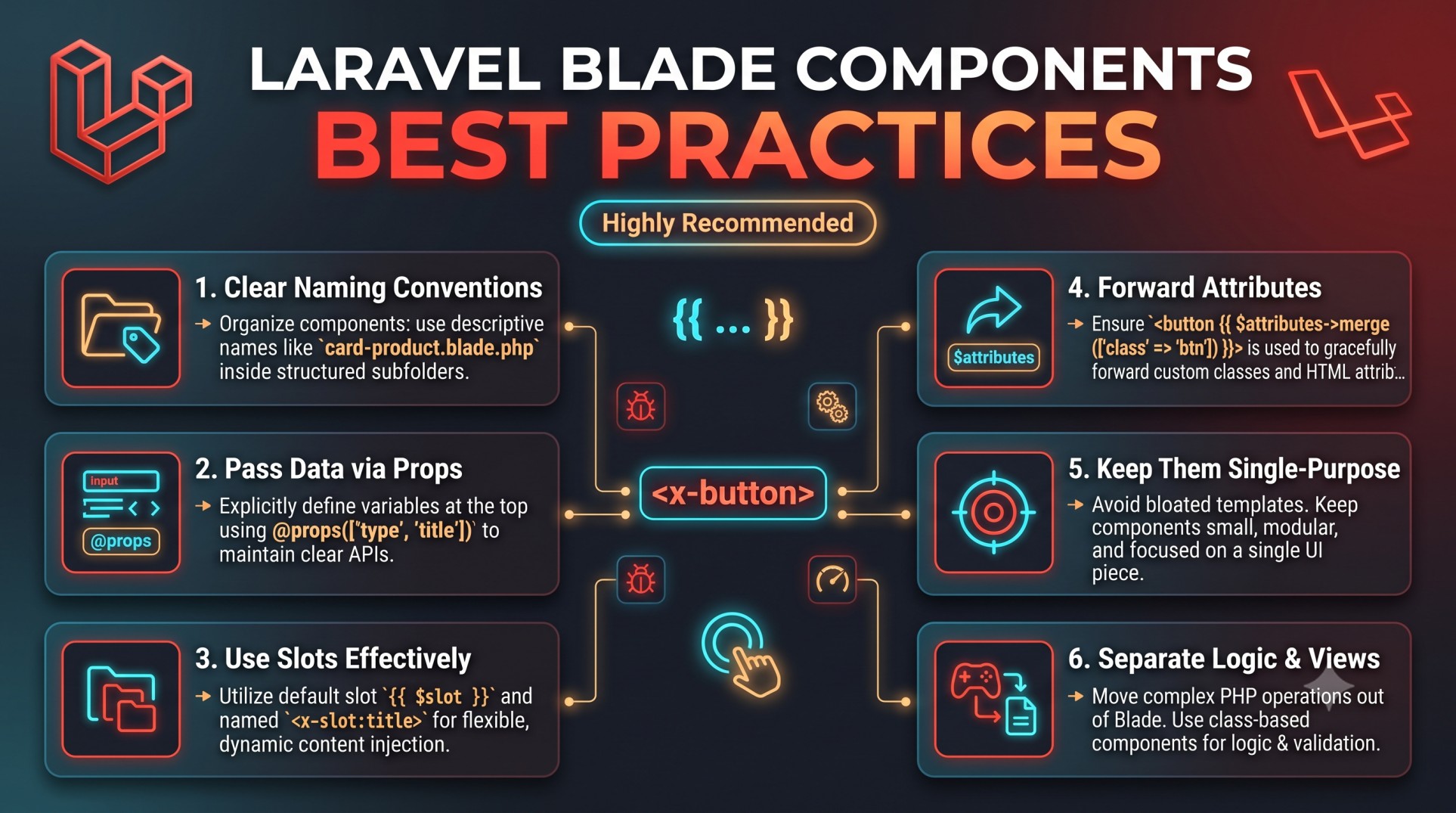
In modern web development, creating clean and maintainable frontend code is just as important as building strong backend logic. Laravel, one of the most developer-friendly PHP frameworks, simplifies this process through its Blade templating engine. Blade allows developers to write expressive, structured, and reusable templates — and one of its most powerful features is Blade components.
Blade components help you create modular user interface elements that can be reused across multiple pages or sections of your application. This not only reduces redundancy but also makes your views easier to maintain, test, and extend.
However, as projects grow, improper use of components can lead to cluttered structures, inconsistent naming, and performance bottlenecks. This is why understanding and following Blade component best practices is essential for every Laravel developer who wants to build scalable and professional applications.
What Are Blade Components?
In simple terms, Blade components are reusable building blocks of your Laravel frontend. Think of them as custom UI elements that encapsulate HTML structure, logic, and styling in one neat package. For instance, a navigation bar, a card, a modal, or even a button can be turned into a Blade component.
Instead of repeating the same markup across multiple files, components let you define it once and reuse it everywhere. This leads to cleaner, more organized code and helps teams maintain a consistent design system throughout the application.
Why Use Blade Components
The main reason developers love Blade components is because they bring structure and reusability to the frontend. Some key advantages include:
-
Code Reusability: Write a component once and use it multiple times with different data or styles.
-
Cleaner Templates: Reduce repetition and clutter in your views.
-
Consistency: Maintain a unified look across your application’s pages.
-
Faster Development: Simplify UI updates — modify one component instead of dozens of files.
-
Better Collaboration: Easier for teams to divide work between backend logic and frontend presentation.
-
Improved Maintainability: Centralized logic reduces future bugs and inconsistencies.
Blade components help turn your Laravel project into a more modular and professional system, especially in large-scale applications.
Common Mistakes Developers Make
Before diving into best practices, it’s important to understand common pitfalls developers often fall into when working with Blade components:
-
Creating too many small, fragmented components that add unnecessary complexity.
-
Mixing presentation and logic inside the same component file.
-
Failing to organize components into logical folders or naming conventions.
-
Reusing the same component for multiple unrelated purposes.
-
Hardcoding styles and data instead of passing them as dynamic attributes.
Avoiding these mistakes is key to building scalable applications that remain easy to manage as your project grows.
Best Practices for Laravel Blade Components
Let’s explore the most important best practices that every Laravel developer should follow when working with Blade components.
1. Follow Clear Naming Conventions
Good naming conventions are the foundation of maintainable components.
Use descriptive names that clearly indicate the component’s purpose. For example, instead of generic names like box.blade.php or layout.blade.php, use names like card-product.blade.php or modal-delete.blade.php.
Organize components in subfolders according to their function — for example, keep all UI elements inside a components/ui folder and layout-related components inside components/layouts.
This approach helps new developers instantly understand the purpose and structure of each component.
2. Keep Components Focused and Single-Purpose
Each Blade component should handle one specific responsibility.
A “Card” component, for example, should only manage card layout and style, not complex business logic or unrelated presentation details.
When a component starts doing too many things — like rendering lists, applying conditional logic, or handling multiple design variants — it becomes harder to maintain.
If you find yourself adding too many if conditions or dynamic states, consider splitting the component into smaller, more specific ones.
3. Use Slots Effectively
Slots are a powerful feature in Blade components that allow you to inject dynamic content. However, overusing or misusing them can reduce readability.
Use named slots for optional sections like headers, footers, or actions. This keeps your component flexible while maintaining clear structure.
Avoid using too many anonymous slots — they make templates harder to follow and reduce clarity, especially for teams collaborating on large projects.
4. Pass Data via Attributes, Not Logic
A common mistake is embedding too much logic directly in Blade components. Instead of performing calculations or database queries inside the component view, pass the necessary data from the controller or parent view.
This keeps your components lightweight and purely focused on presentation, following the separation of concerns principle.
It also improves testability and makes debugging much easier, since each component becomes predictable and self-contained.
5. Reuse Components, Don’t Duplicate
One of the main goals of Blade components is reusability. Before creating a new one, check if an existing component can be extended or customized instead.
For example, you might have a generic “button” component that can be customized with attributes like color, size, or icon type. Instead of creating separate button files for each variation, use attributes or slots to handle differences dynamically.
This reduces duplication, improves consistency, and speeds up development.
6. Organize Components into a Design System
As your project grows, you’ll likely have dozens of components. Keeping them organized is crucial.
Follow a design system approach — group components by purpose (like inputs, modals, alerts, cards) and document their usage.
This makes it easier for teams to reuse existing components and maintain consistent visual styles across the application. It also helps onboard new developers quickly since they can reference a structured set of reusable parts.
7. Keep Styling Consistent and Scoped
Avoid writing inline styles or applying random class names within your components. Instead, use a consistent naming system, utility classes (like Tailwind CSS), or pre-defined CSS files.
Consistent styling ensures that components look cohesive across pages and prevents design drift over time.
If multiple components share similar styles, consider creating a base component or shared style file to maintain uniformity.
8. Optimize Performance with Caching
While Blade is lightweight, rendering too many components can affect performance in large applications. Laravel provides efficient caching mechanisms to help speed things up.
Use view caching for components that don’t change frequently, such as headers, footers, or static banners.
Additionally, avoid unnecessary re-renders by ensuring components only receive the data they need. Smaller, focused components generally perform better and load faster.
9. Write Readable and Documented Components
Readable components are a sign of professional development. Use clear naming, proper indentation, and comments where needed.
Documenting your components — even briefly — helps other developers understand how to use them properly. For example, note what attributes or slots are available and what each one controls.
This practice pays off in the long run, especially for teams maintaining large Laravel projects over time.
10. Use Inline Components for Small UI Elements
Not every UI element needs a separate file. For small, single-use elements like icons or badges, consider using inline components directly in your Blade templates.
This helps you avoid file clutter while still keeping code clean and readable.
Reserve separate component files for larger, reusable parts that appear across multiple views or pages.
The Benefits of Following Best Practices
When you apply these best practices consistently, your project benefits in several ways:
-
Improved readability: Each component is clearly defined and easy to understand.
-
Faster development: Reusing components accelerates page creation.
-
Better maintainability: Updates in one component reflect across all views instantly.
-
Consistent design: Your UI remains visually uniform and professional.
-
Reduced bugs: Separation of concerns leads to fewer conflicts between presentation and logic.
Over time, these small improvements lead to a cleaner, more scalable, and efficient Laravel application.
Conclusion
Laravel Blade components are one of the most powerful tools for building reusable, maintainable, and organized frontends. They transform how developers manage UI elements, enabling a modular approach that saves time and enhances consistency.
However, like any tool, their real value shines only when used correctly. Following the best practices — from naming conventions and slot management to data handling and organization — ensures that your Blade components remain scalable and easy to work with as your project evolves.
By mastering these techniques, you can turn your Laravel frontends into elegant, efficient systems that are a joy to maintain.
Clean code is not just about syntax — it’s about clarity, collaboration, and sustainability. And with Blade components done right, you’ll achieve all three.


