Laravel API Authentication with JWT
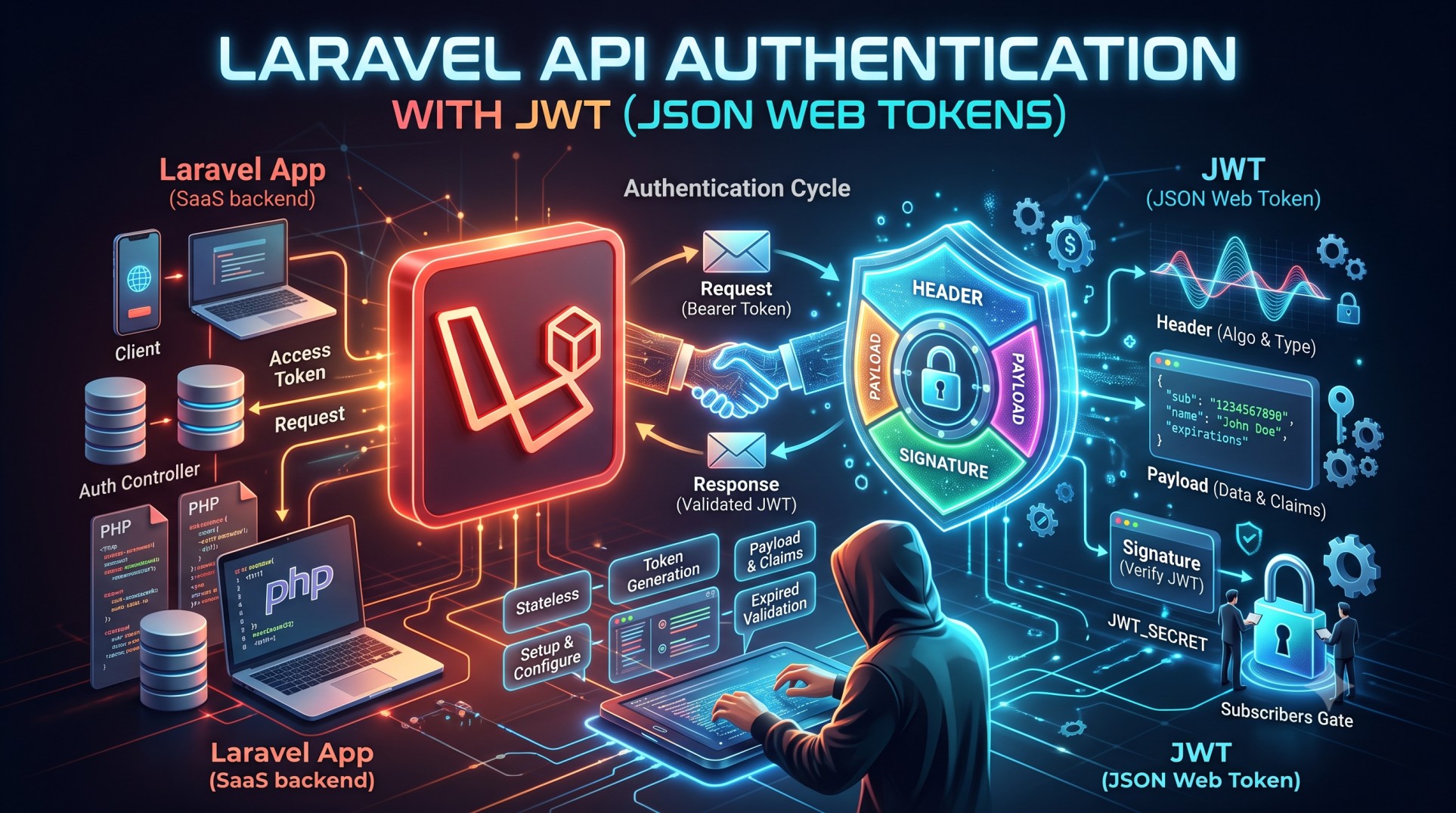
Authentication is one of the most critical parts of any web or mobile application. In the world of APIs, security becomes even more important because APIs are often consumed by different platforms, including mobile apps, web clients, and third-party integrations. One of the most popular and effective ways to secure APIs is by using JWT (JSON Web Tokens).
Laravel, being one of the most flexible PHP frameworks, integrates seamlessly with JWT to provide a secure, token-based authentication system. In this blog, we’ll explore how Laravel API authentication with JWT works, why you should use it, and best practices to make your API both secure and scalable.
What is JWT (JSON Web Token)?
A JSON Web Token (JWT) is an open standard (RFC 7519) that defines a compact and self-contained way to securely transmit information between parties as a JSON object. This information is digitally signed, ensuring its authenticity and integrity.
A JWT typically consists of three parts:
-
Header – Contains the token type and signing algorithm (e.g., HS256).
-
Payload – Contains claims or user-related data (e.g., user ID, email).
-
Signature – Verifies that the token has not been altered.
A token looks something like this:
eyJhbGciOiJIUzI1NiIsInR5cCI6IkpXVCJ9.eyJpZCI6MSwibmFtZSI6IlVzZXIiLCJpYXQiOjE2MjM4ODMyMDB9.AN6MyKJ-3NxZ1pZ1ZKql1QhXzU2v0uWzQK9bI6m4HQE
When a user logs in, the server generates a JWT and sends it back to the client. The client stores it (typically in localStorage or sessionStorage) and sends it with every API request to authenticate.
Why Use JWT for Laravel API Authentication?
There are several ways to implement API authentication in Laravel (like Sanctum or Passport), but JWT offers unique advantages, especially for stateless applications.
1. Stateless Authentication
Unlike session-based authentication, JWT doesn’t require the server to store session data. Once a token is issued, the client manages it, and the server verifies it on each request.
2. Scalability
Because JWT is stateless, it’s perfect for distributed systems and microservices. No centralized session store is needed, making horizontal scaling much easier.
3. Cross-Platform Support
JWTs are language-agnostic. You can use the same token for mobile, web, and third-party applications.
4. Improved Security
JWTs can be signed and optionally encrypted, ensuring that the payload can’t be tampered with or read by unauthorized users.
5. Ease of Use
Tokens are lightweight, easy to store, and can carry essential user information, which simplifies the authentication process.
How JWT Authentication Works in Laravel
The flow of JWT authentication in Laravel typically follows these steps:
-
User Login – The client sends login credentials (email/password) to the API.
-
Token Generation – The API verifies credentials and issues a JWT containing user details.
-
Token Storage – The client stores the token locally (e.g., localStorage, cookies).
-
Token Validation – For each API request, the client sends the token in the request header.
-
Access Control – The API validates the token; if valid, the request proceeds. Otherwise, it’s rejected.
Installing JWT in Laravel
The most widely used package for implementing JWT authentication in Laravel is tymon/jwt-auth. It provides an elegant, easy-to-use API for managing tokens.
You can install it using Composer:
Then publish the configuration file and generate a secret key:
This secret key will be used to sign your tokens.
Setting Up JWT Authentication
Once the package is installed, you can configure the authentication guard in config/auth.php:
Then, in your User model, make sure it implements JWTSubject:
This ensures your model can generate and validate tokens.
Creating Authentication Endpoints
You can create endpoints for user registration, login, logout, and token refresh. For instance, a simple login method might look like this:
When the client receives this token, it can use it to authenticate future requests by including it in the Authorization header as:
Authorization: Bearer
Protecting Routes
To protect specific API routes, apply the auth:api middleware in your routes/api.php:
This ensures only users with a valid JWT can access those routes.
Token Refresh and Logout
JWT tokens have an expiration time for security reasons. You can refresh tokens using:
And for logout:
Securing JWT Tokens
To maximize JWT security, follow these best practices:
1. Use HTTPS Only
Always serve your API over HTTPS. Tokens transmitted over HTTP can be intercepted easily.
2. Set Token Expiry
Short-lived tokens minimize risk if a token is compromised.
3. Use Refresh Tokens
Implement refresh tokens for extending sessions securely.
4. Avoid Storing Tokens in LocalStorage
LocalStorage is vulnerable to XSS attacks. Use HTTP-only cookies when possible.
5. Revoke Tokens When Needed
Use blacklisting or versioning strategies to invalidate tokens after logout or password changes.
6. Validate Audience and Issuer Claims
Ensure tokens are only accepted from trusted sources by validating the aud (audience) and iss (issuer) claims.
Advantages of Using JWT in Laravel APIs
-
Stateless Architecture – No need for session storage.
-
Fast Authentication – Tokens are verified instantly without database lookups.
-
Cross-Platform Compatibility – Works seamlessly with web and mobile clients.
-
Scalability – Ideal for cloud-based and microservice architectures.
-
Flexibility – You can include custom claims like roles, permissions, or metadata.
Common Pitfalls to Avoid
-
Storing JWTs insecurely (e.g., in browser storage).
-
Forgetting to set expiration times.
-
Exposing sensitive data in token payloads.
-
Not rotating or revoking tokens after security events.
Conclusion
Implementing JWT authentication in Laravel APIs is one of the most efficient and secure ways to handle user authorization. It provides a stateless, scalable, and lightweight approach to verifying users across multiple platforms.
By following Laravel’s best practices — such as using HTTPS, enforcing token expiration, and validating inputs — you can ensure your API remains secure and reliable.
Whether you’re building a mobile backend, SaaS platform, or multi-tenant API, JWT authentication gives you the flexibility and power needed for modern application security.


