Laravel and GraphQL Integration
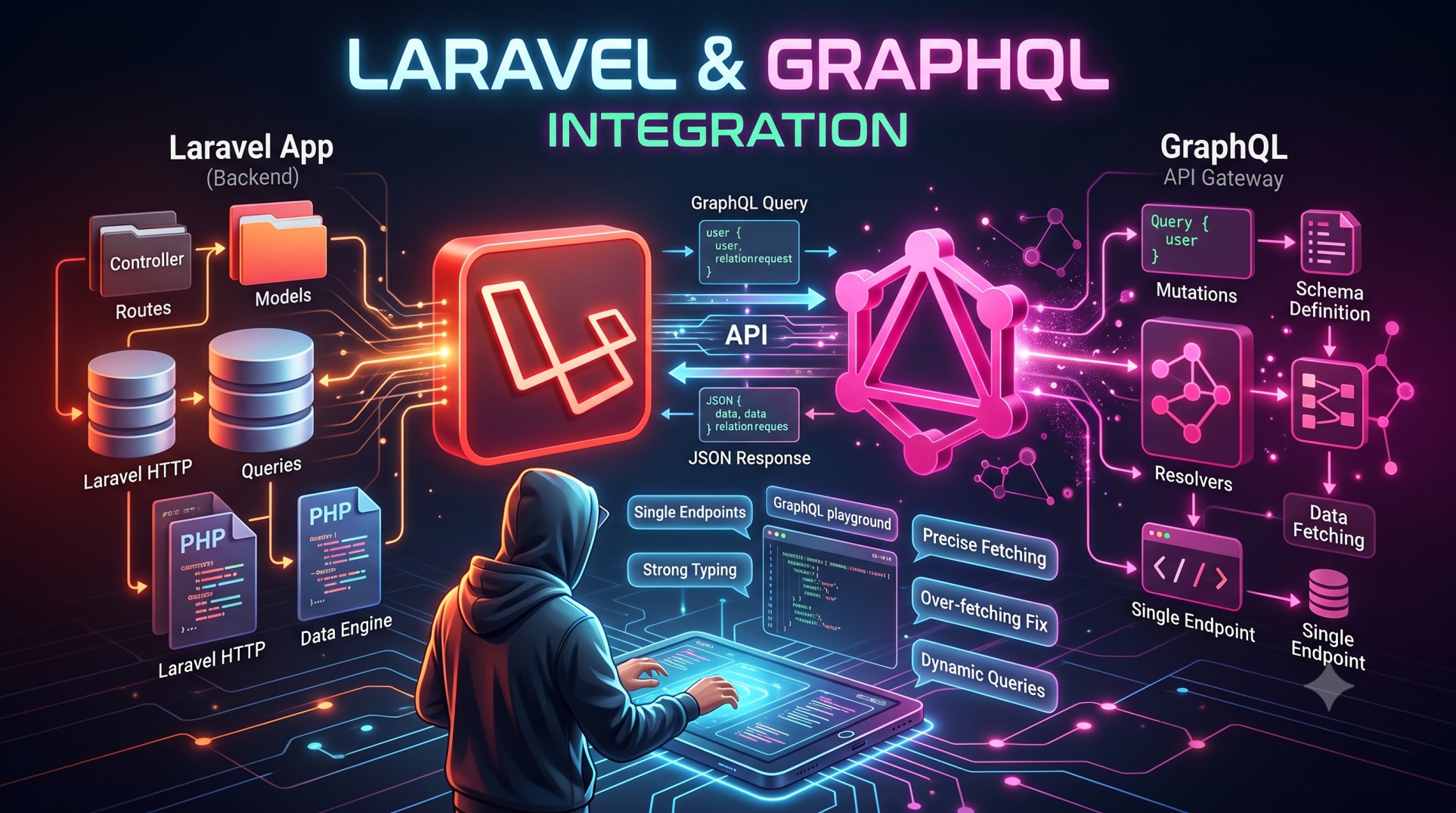
In the world of modern web development, building fast, efficient, and flexible APIs is more important than ever. RESTful APIs have long been the standard, but developers are increasingly adopting GraphQL — a query language developed by Facebook — for its flexibility and efficiency.
When combined with Laravel, one of the most popular PHP frameworks, GraphQL empowers developers to build scalable, performant, and developer-friendly APIs. This guide explores how to integrate GraphQL into a Laravel project, why it’s beneficial, and best practices to make the most out of this powerful combination.
What Is GraphQL?
GraphQL is a query language and runtime for APIs that allows clients to request exactly the data they need — nothing more, nothing less. Unlike REST, where multiple endpoints return fixed data structures, GraphQL uses a single endpoint that can dynamically fetch related data in one request.
For example, instead of hitting separate endpoints for users and posts, a single GraphQL query can fetch users along with their related posts in one go. This results in fewer requests, smaller payloads, and faster responses.
Why Use GraphQL with Laravel?
Laravel and GraphQL complement each other perfectly. Laravel offers a structured, expressive syntax and a powerful ORM (Eloquent), while GraphQL provides flexibility in querying data. Together, they help developers build APIs that are both efficient and elegant.
Here’s why GraphQL integration in Laravel is beneficial:
-
Improved performance – Fetch multiple resources in a single query.
-
Reduced over-fetching/under-fetching – Retrieve only the data you need.
-
Strongly typed schema – Helps in defining clear data structures and validating queries.
-
Better developer experience – With tools like GraphiQL, developers can explore and test queries interactively.
-
Scalability – Works seamlessly with Laravel’s robust architecture and Eloquent relationships.
Setting Up GraphQL in Laravel
To get started with GraphQL in Laravel, the most popular choice is the Lighthouse package, which simplifies GraphQL integration by leveraging Laravel’s existing tools and conventions.
Step 1: Install the Lighthouse Package
You can install Lighthouse using Composer:
Once installed, publish the configuration file:
This creates a lighthouse.php configuration file and a graphql/schema.graphql file where you’ll define your GraphQL schema.
Step 2: Define the Schema
The schema defines the structure of your API — what data is available and how it can be queried. A basic example might include a type definition for users and queries to fetch them.
Step 3: Create Resolvers
Resolvers are functions that tell GraphQL how to fetch the data requested in a query. In Laravel, resolvers typically map to Eloquent models, allowing you to retrieve data directly from the database.
Understanding GraphQL Schema and Types
In GraphQL, everything revolves around types. A type defines the shape of your data.
Some common GraphQL types include:
-
Scalar Types: Integer, Float, String, Boolean, and ID.
-
Object Types: Represent data structures, such as a
Usertype with fields likename,email, andposts. -
Input Types: Used to define input objects for mutations (e.g., creating or updating data).
-
Query Type: Defines read operations.
-
Mutation Type: Defines write operations like creating, updating, or deleting data.
Laravel’s Eloquent models map naturally to GraphQL types, allowing for easy schema definition and query execution.
Performing Queries and Mutations
In GraphQL, you perform queries to fetch data and mutations to modify it.
Queries
Queries allow clients to specify the exact fields they need. For example, you can fetch a list of users with only their names and email addresses, skipping unnecessary data like timestamps or related models.
Mutations
Mutations handle data manipulation operations. You can create new records, update existing ones, or delete entries in the database. Mutations often return the modified object to confirm successful operations.
Integrating Eloquent with GraphQL
One of the biggest advantages of using GraphQL in Laravel is seamless integration with Eloquent ORM. Lighthouse automatically detects model relationships and allows you to define them directly in your schema.
You can define relationships such as hasMany, belongsTo, or hasOne directly within your GraphQL schema, eliminating the need for complex controller logic. This not only speeds up development but also makes your API more maintainable.
Handling Authentication and Authorization
Security is a critical aspect of any API. Lighthouse integrates easily with Laravel’s built-in authentication and authorization system.
You can protect queries and mutations using Laravel’s middleware or by defining guards within your GraphQL schema. For instance, only authenticated users can perform certain mutations or access private data.
By combining Laravel’s policies and gates with GraphQL directives, you can create fine-grained access control for different user roles.
Optimizing GraphQL Performance
While GraphQL is powerful, inefficient queries can lead to performance issues. Here are some best practices to optimize GraphQL in Laravel:
1. Use Query Batching
Allow clients to send multiple queries in one request to reduce HTTP overhead.
2. Apply Query Limits and Depth Control
Set maximum query depth and complexity to prevent clients from requesting deeply nested or excessively large datasets.
3. Cache Responses
Leverage Laravel’s caching layer to store frequently requested data. Redis or Laravel Cache can significantly improve GraphQL response times.
4. Optimize Database Queries
Use Eloquent’s eager loading (with()) to prevent the N+1 query problem when fetching relationships.
5. Paginate Large Results
Avoid returning large datasets in one response. Use GraphQL’s built-in pagination directives for efficient data delivery.
GraphQL Subscriptions for Real-Time Updates
GraphQL supports subscriptions, enabling real-time communication between the client and server. Laravel, combined with packages like Lighthouse and Pusher or Laravel WebSockets, allows you to send real-time data updates, such as notifications, chat messages, or live metrics.
This is especially useful in applications that require dynamic data updates without constant polling.
Testing GraphQL APIs
Testing is crucial for maintaining a reliable API. You can use Laravel’s testing tools to test GraphQL endpoints just like REST APIs.
Tools like GraphiQL or Apollo Studio provide interactive environments where developers can write, test, and debug GraphQL queries. This helps ensure schema accuracy and data integrity.
Best Practices for Laravel + GraphQL Integration
To build efficient and scalable GraphQL APIs in Laravel, keep the following best practices in mind:
-
Design meaningful schemas: Keep them simple and intuitive for developers.
-
Use version control for schemas: Track schema changes with your codebase.
-
Validate user input: Always sanitize and validate input to prevent security vulnerabilities.
-
Implement caching: Use Laravel’s caching system to reduce repeated computations.
-
Document your schema: Generate automatic API documentation to help other developers understand available queries and mutations.
Real-World Use Cases for Laravel and GraphQL
Many modern applications use Laravel and GraphQL together for their flexibility and scalability. Here are a few scenarios where this integration shines:
-
E-commerce platforms – Efficiently fetch product details, categories, and reviews in one query.
-
Social media apps – Retrieve user data, posts, and comments without multiple API calls.
-
Content management systems – Enable content retrieval across multiple front-end clients.
-
SaaS dashboards – Aggregate data from multiple microservices with ease.
Conclusion
Integrating GraphQL with Laravel revolutionizes the way APIs are built. It eliminates the limitations of REST, offering more flexible, precise, and efficient data retrieval. With tools like Lighthouse, Laravel developers can easily implement GraphQL to enhance both performance and developer productivity.
By defining clear schemas, optimizing queries, and securing your API, you can create a robust GraphQL-powered Laravel application that scales effortlessly. Whether you’re building a small app or a large enterprise system, Laravel and GraphQL together offer the perfect balance of power, flexibility, and simplicity.


