Integrating Salesforce with AWS Services
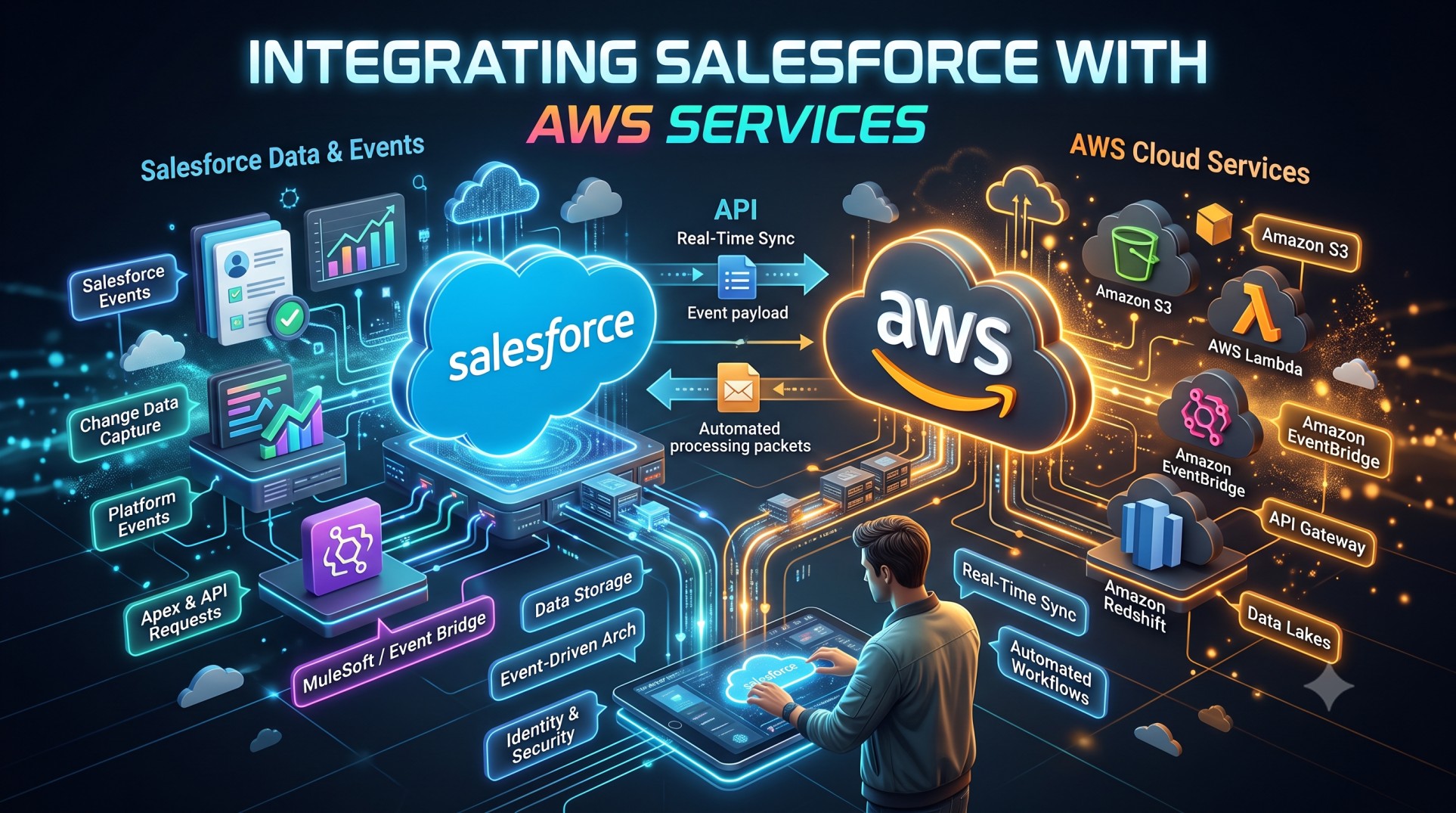
As modern enterprises embrace cloud-native architectures, the demand to connect powerful SaaS applications with hyperscale cloud platforms has never been higher. Salesforce remains the world’s leading CRM, while Amazon Web Services (AWS) dominates cloud infrastructure, analytics, AI, and compute. Together, they form a powerful technology stack capable of transforming digital experiences, operational efficiency, and data intelligence.
In this comprehensive guide, we’ll explore why organizations integrate Salesforce and AWS, common use cases, supported services, architectural patterns, challenges, and best practices to maximize business value in 2025.
Why Integrate Salesforce with AWS?
Salesforce is exceptional for managing customer engagement, but has limitations in areas like large-scale analytics, custom compute, and data lake workloads. AWS, on the other hand, offers infinite scalability, serverless compute, machine learning services, and data storage options.
Integration unites both sides:
Business benefits:
-
360-degree customer insights
-
Faster automation
-
Lower operating costs
-
Personalized engagement
-
AI-powered predictions
Technical benefits:
-
Secure data flows
-
Real-time synchronization
-
Scalable event processing
-
Support for IoT-driven workflows
By combining these strengths, enterprises unlock a modern, flexible digital architecture.
The Salesforce + AWS Partnership: A Growing Ecosystem
Salesforce and AWS formed a strategic alliance to simplify integration through:
-
pre-built connectors
-
native authentication
-
unified event streaming
-
real-time data activation
This partnership has matured significantly by 2025, reducing custom development overhead drastically.
Popular AWS Services Used with Salesforce
1. Amazon S3
Object storage for:
-
backups
-
document attachments
-
content offloading
-
compliance archiving
Rather than storing large files in Salesforce (costly), S3 provides scalable and cheap storage.
2. Amazon Lambda
Serverless compute triggered by:
-
Salesforce events
-
API calls
-
Database changes
Lambda enables lightweight transformations, validation, or enrichment logic without provisioning servers.
3. Amazon API Gateway
Front-door to expose APIs for:
-
pricing engines
-
product catalogs
-
inventory systems
Salesforce can invoke these APIs synchronously as part of business flows.
4. Amazon RDS / Aurora
High-performance relational databases that complement Salesforce transactional data.
CRM data can be mirrored into AWS for deep analytics or storage optimizations.
5. Amazon Redshift
Enterprise data warehousing used for:
-
BI reporting
-
segmentation
-
predictive analytics
Paired with Tableau or Einstein Analytics, powerful insights emerge.
6. Amazon Comprehend
AI-powered NLP for analyzing:
-
emails
-
case chatter
-
text feedback
-
surveys
Salesforce surfaces sentiment and intent context to service agents.
7. Amazon Sagemaker
Custom machine learning models for:
-
churn prediction
-
fraud detection
-
propensity scoring
Outputs sync back into Salesforce for engagement actions.
8. Amazon Kinesis
Real-time streaming:
-
IoT telemetry
-
clickstream activity
-
financial transactions
Salesforce automation reacts instantly through flows and triggers.
Common Integration Use Cases
Customer 360 Data Enrichment
S3 or Redshift store large datasets, then Einstein uses them for personalized journeys.
Real-Time Service Alerts
Sensor data in Kinesis triggers Salesforce cases automatically.
E-Commerce Personalization
Inventory, pricing, and cart data route through Lambda to Salesforce journeys.
Contract Lifecycle Automation
Salesforce records link to documents stored securely in S3.
Support Center Intelligence
Comprehend analyzes text sentiment to escalate urgent cases.
Integration Patterns
Different integration styles fit different workloads.
1. Real-Time Sync
Use:
-
Platform Events
-
EventBridge
-
Lambda triggers
For status updates, order processing, and case management.
2. Batch ETL
Using:
-
AWS Glue
-
Amazon Data Pipeline
For nightly data warehouse loads or historical migrations.
3. Event-Driven Architecture
Salesforce events → AWS Lambda → database/store/enrichment
This is scalable and cost-efficient.
4. Zero-Copy Data Sharing
Snowflake + Data Cloud (growing in 2025) enables querying without duplication.
Tools That Make Integration Easier
Salesforce Connect
Allows Salesforce to view external AWS data virtually.
MuleSoft
Acts as middleware for complex hybrid integrations.
Heroku Connect
Synchronizes Postgres and Salesforce objects visually.
Amazon AppFlow
Bi-directional connector between Salesforce and AWS.
It supports:
-
S3
-
Redshift
-
Snowflake
-
Salesforce Objects
AppFlow is increasingly popular because it requires no infrastructure.
Security Considerations
Cloud-to-cloud integration demands strict security:
Authentication
-
OAuth
-
IAM roles
-
TLS encryption
Data Masking
Sensitive customer fields require redaction.
Compliance
Integration must align with:
-
GDPR
-
CCPA
-
HIPAA
-
PCI
Salesforce Shield and AWS Audit Manager strengthen auditability.
Integration Architecture Example
A common pattern:
-
Salesforce emits Platform Event
-
EventBridge captures the event
-
Lambda processes logic and enriches
-
Data stored in S3 and DynamoDB
-
Salesforce object updated via REST callback
This provides a full data feedback loop.
Challenges Enterprises Face
Despite benefits, integration isn’t trivial:
Data Volume
Salesforce governor limits restrict heavy payloads.
Data Latency
Batch pipelines risk outdated profiles.
Skill Gaps
Teams need multi-cloud expertise.
Cost Visibility
AWS consumption requires careful governance.
Addressing these challenges early prevents architectural debt.
Cost Optimization Strategies
To control spend:
-
Offload large binary attachments to S3
-
Leverage Lambda for ephemeral compute
-
Compact datasets before storage
-
Use caching layers (ElastiCache)
Success depends on thoughtful design.
Industry-Specific Use Cases
Finance
-
Fraud detection via SageMaker
-
Regulatory report storage in S3
Healthcare
-
HIPAA-compliant document handling
-
Real-time patient engagement alerts
Retail
-
Inventory and price sync
-
Personalized offers via Kinesis streams
Manufacturing
-
IoT telemetry triggers maintenance cases
Across industries, the synergy is clear.
AWS AI + Salesforce Automation
New in 2025, enterprises leverage:
-
Amazon Bedrock for foundation models
-
Einstein Studio for inference orchestration
AI-generated insights route through Salesforce Flow to sales, service, or marketing journeys.
This combination creates self-optimizing processes.
Monitoring & Observability
To ensure integration reliability:
-
CloudWatch tracks Lambda / API performance
-
Salesforce Event Monitoring audits usage
-
X-Ray traces AWS microservices
Modern observability prevents downtime.
Best Practices
To maximize success:
Use event-driven patterns
Avoid polling overhead.
Avoid storing large files in Salesforce
Use S3 for cost efficiency.
Sync only relevant fields
Minimize redundancy.
Enforce rate limiting
Protect against API throttling.
Automate error recovery
Dead-letter queues are essential.
The Emerging Future of Salesforce + AWS Integration
Trends accelerating in 2025:
1. AI-Native Personalization
ML models feed real-time segments.
2. Edge + IoT Automation
Connected devices sync instantly with Service Cloud.
3. Zero-ETL Analytics
Query without storage duplication.
4. Multi-Cloud Governance
Unified audit dashboards simplify compliance.
As both ecosystems innovate, integration becomes more seamless—and more powerful.
Conclusion
Integrating Salesforce with AWS enables enterprises to scale compute, storage, analytics, and AI far beyond the CRM’s native boundaries. AWS provides robust cloud infrastructure and intelligence, while Salesforce orchestrates customer engagement and workflow automation. Together, they create a modern architecture that drives personalization, operational efficiency, and real-time intelligence.
Organizations that adopt this hybrid strategy gain:
-
better customer experiences
-
faster innovation cycles
-
smarter automation
-
lower infrastructure overhead
In a digital-first world, the Salesforce + AWS combination is not just advantageous—it’s becoming a competitive necessity.


