Integrating Laravel with ChatGPT APIs
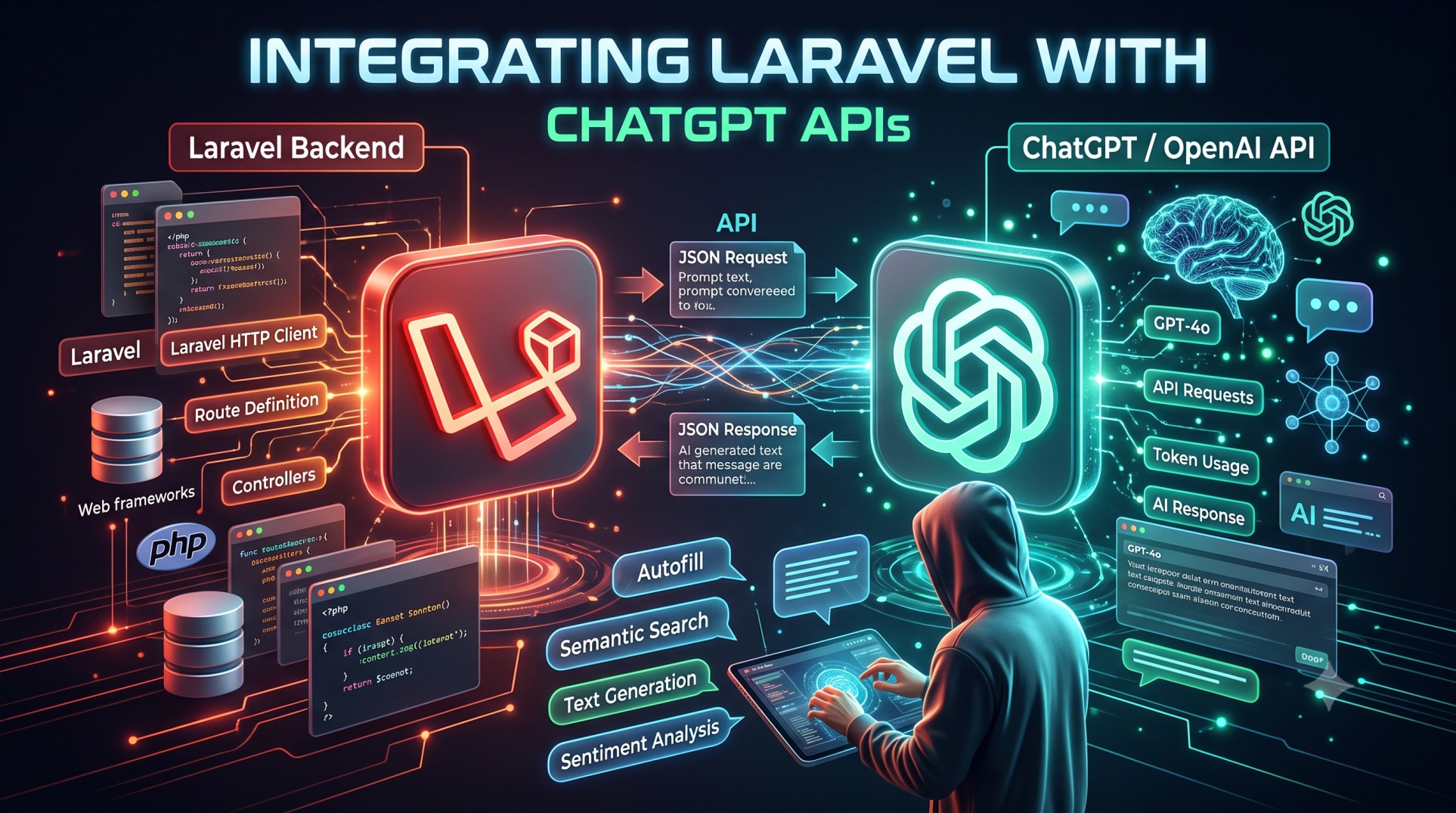
Artificial intelligence is reshaping how web applications interact with users. From automated chat assistants to intelligent content generation, AI is no longer a futuristic concept — it’s part of today’s digital experiences. Among the most powerful AI models available is OpenAI’s ChatGPT, which can understand and generate human-like text responses.
If you’re building modern web applications with Laravel, integrating ChatGPT can elevate your app by adding conversational features, content automation, and natural language understanding. In this post, we’ll explore how to integrate ChatGPT APIs with Laravel, discuss real-world use cases, and outline best practices to get the most out of this integration.
1. Understanding ChatGPT and the OpenAI API
ChatGPT is an advanced large language model developed by OpenAI. It’s capable of processing text inputs and generating coherent, context-aware responses. Developers can access this power through the OpenAI API, which provides endpoints to interact with models like GPT-3.5, GPT-4, and GPT-5.
When you connect your Laravel application to OpenAI’s API, you can send user prompts (like chat messages or questions) and receive dynamic responses that can be displayed directly in your app.
This API-first approach allows Laravel developers to integrate AI capabilities without managing any infrastructure or training models themselves.
2. Why Integrate ChatGPT with Laravel?
Laravel is known for its elegant syntax, scalability, and ecosystem of tools that make building modern web apps simple. Combining Laravel’s back-end power with ChatGPT’s AI capabilities opens up endless possibilities:
-
💬 Chatbots & Virtual Assistants: Automate customer support or guide users through onboarding.
-
✍️ Content Generation: Create product descriptions, social media posts, or marketing copy dynamically.
-
📊 Data Insights: Generate reports, summaries, or interpretations of data in human-readable language.
-
🧠 Smart Search & Recommendations: Use ChatGPT to enhance search results or suggest related products.
-
💻 Developer Tools: Auto-generate code snippets, SQL queries, or documentation inside your Laravel dashboard.
Essentially, integrating ChatGPT can make your Laravel applications more interactive, intelligent, and user-friendly.
3. How the Integration Works (Conceptually)
The integration between Laravel and ChatGPT APIs involves a straightforward client-server interaction:
-
User Input: A user sends a message, question, or command through your Laravel app’s interface.
-
Request Handling: Laravel captures the input and sends it as a POST request to the OpenAI API endpoint.
-
API Processing: ChatGPT interprets the prompt, processes it, and generates a text response.
-
Response Display: Laravel receives the response and displays it back to the user in real-time or asynchronously.
Behind the scenes, this flow is managed securely using your OpenAI API key, which authenticates requests and ensures that only authorized calls are made from your Laravel server.
4. Preparing Your Laravel Project
Before integrating ChatGPT, you need to ensure your Laravel project is ready to communicate with external APIs.
Key steps include:
-
Storing your OpenAI API key securely in the
.envfile. -
Setting up proper routes and controllers to handle API requests.
-
Using Laravel’s built-in HTTP client (powered by Guzzle) for efficient API calls.
-
Creating a front-end interface (optional) to let users interact with ChatGPT in real time.
While the technical setup is simple, the real magic lies in how you use and design prompts to produce intelligent responses.
5. Real-World Use Cases for Laravel + ChatGPT
Let’s explore a few real-world scenarios where integrating ChatGPT into a Laravel application adds immense value:
a. Customer Support Chatbot
A Laravel-powered web portal can include a ChatGPT chatbot to answer FAQs, guide users through troubleshooting, or escalate issues to human agents when needed. This reduces response time and improves customer satisfaction.
b. Dynamic Content Writing
E-commerce platforms built on Laravel can automatically generate engaging product descriptions, marketing blurbs, or blog outlines using AI prompts. ChatGPT can even tailor language to different tones or audiences.
c. Document Summarization
If your Laravel app handles large text files, reports, or legal documents, ChatGPT can summarize content instantly — saving users hours of manual reading.
d. Email Drafting and Automation
CRM systems or help desks developed in Laravel can use ChatGPT to generate quick, context-aware email replies or templates, making communication smoother.
e. AI-Powered Search
Integrate ChatGPT as an intelligent layer on top of your existing database search, allowing users to type natural questions like “Show me the top 5 products with highest ratings last month.”
f. Educational Platforms
Ed-tech Laravel apps can use ChatGPT to answer student queries, explain topics, or generate practice questions dynamically.
6. Key Benefits of Integrating ChatGPT in Laravel
Integrating ChatGPT provides much more than automated text generation — it enhances user engagement and productivity. Some notable benefits include:
-
⚡ Improved User Experience: Users interact naturally instead of using predefined commands.
-
⏱️ Reduced Manual Work: Content creation, summarization, and explanations become automated.
-
💡 Personalization: ChatGPT can tailor its responses based on user history or preferences.
-
🧩 Scalability: The API handles heavy lifting, allowing Laravel apps to stay lightweight.
-
🛡️ Security: Communication happens over HTTPS with authenticated requests, keeping data safe.
This synergy between Laravel’s backend logic and ChatGPT’s intelligence results in seamless automation that feels human-like.
7. Best Practices for Laravel + ChatGPT Integration
To get the most out of your integration, consider the following best practices:
a. Manage API Keys Securely
Never hard-code your OpenAI API key. Store it in Laravel’s .env file and access it via config() or env() helpers. Use Laravel’s secrets management in production.
b. Control API Usage
OpenAI’s API is paid based on usage. Implement rate limiting or token limits to prevent abuse and unexpected costs.
c. Cache Frequent Responses
If your app frequently makes similar requests, use Laravel’s caching system to store responses temporarily and reduce redundant API calls.
d. Sanitize User Inputs
Always validate and sanitize user prompts before sending them to the API, especially if you display generated text publicly.
e. Handle Errors Gracefully
Add fallback responses for cases when the API fails, such as due to rate limits or network issues.
f. Use Role-Based Prompts
Crafting the right prompts is an art. Include system-level roles like “You are a helpful assistant for e-commerce customers” to shape how ChatGPT responds.
8. Enhancing Laravel Apps with AI Workflows
Once your Laravel–ChatGPT integration works, you can extend it into more advanced workflows:
-
Automated Testing with AI: Use ChatGPT to analyze test results or generate human-readable test summaries.
-
Knowledge Base Integration: Connect ChatGPT with your application database to provide contextual answers.
-
Multi-Language Support: Let ChatGPT translate or localize content for different regions.
-
Voice Integration: Combine ChatGPT with speech-to-text APIs for voice-based Laravel chat assistants.
-
AI-Driven Notifications: Generate personalized messages or insights through Laravel’s notification system.
These workflows demonstrate that ChatGPT is not just a chatbot — it’s a flexible AI engine that can power multiple layers of intelligence within your Laravel ecosystem.
9. Challenges and Considerations
While integration is straightforward, developers should also be aware of potential challenges:
-
Cost Management: API calls can accumulate charges based on token usage.
-
Response Quality: AI output may occasionally be inaccurate or off-topic — always validate results.
-
Privacy: Avoid sending sensitive user data to the API.
-
Latency: API calls introduce slight delays compared to local responses.
-
Version Compatibility: OpenAI frequently updates models; ensure your Laravel integration stays current.
Being proactive about these challenges ensures your Laravel + ChatGPT setup remains efficient and secure.
10. The Future of Laravel and AI
The combination of Laravel and AI tools like ChatGPT is the next evolution in web development. As OpenAI continues refining its models and Laravel strengthens its ecosystem, the boundary between traditional apps and intelligent systems will blur.
Soon, Laravel developers won’t just build CRUD apps — they’ll build smart, adaptive, conversational systems that can reason, learn, and respond dynamically. Whether it’s customer engagement, analytics, or automation, integrating AI will be at the heart of it.
Laravel’s simplicity makes it an ideal framework for experimenting with and scaling AI-driven solutions. With ChatGPT APIs, you’re not limited by static rules — you’re building apps that understand.
Conclusion
Integrating Laravel with ChatGPT APIs unlocks endless opportunities to make your web applications smarter and more human-like. From automated chat support to AI-assisted workflows, this integration bridges the gap between technology and natural interaction.
Whether you’re developing an internal business tool or a public-facing SaaS platform, ChatGPT’s capabilities can dramatically enhance functionality, engagement, and innovation. Laravel provides the perfect foundation — clean, powerful, and developer-friendly — to bring this AI potential to life.
As AI continues to evolve, developers who embrace tools like ChatGPT early will shape the next generation of intelligent, user-centric applications.


