Handling File Uploads Securely in Laravel
Modern web applications allow users to upload a wide variety of files — images, documents, videos, audio clips, reports, and more. Whether it's a user profile picture, a product catalog, or a private report attachment, file uploads are now a common feature in most Laravel applications.
However, file uploads are also one of the most dangerous attack surfaces in any application. If not implemented correctly, malicious users can upload harmful files that may compromise your server, leak sensitive data, or execute unauthorized commands.
Laravel makes file uploads convenient, but security must always be treated as a first-class requirement. This article explores the best practices for secure file uploads in Laravel, potential vulnerabilities, storage strategies, validation recommendations, and compliance concerns developers should understand when building safe upload systems.
Why File Upload Security Matters
Many developers assume that uploaded files are harmless, but history shows otherwise. Attackers often exploit upload forms to:
-
Upload malware or executable scripts
-
Inject PHP shells disguised as images
-
Overload servers with extremely large files
-
Exploit storage paths to overwrite files
-
Steal information from poorly configured directories
Without proper protections, file upload features can escalate into:
-
Remote code execution
-
Data breaches
-
Server crashes
-
Unauthorized data access
Laravel offers powerful tools to mitigate these risks — if you use them thoughtfully.
Understanding Laravel’s Upload Flow
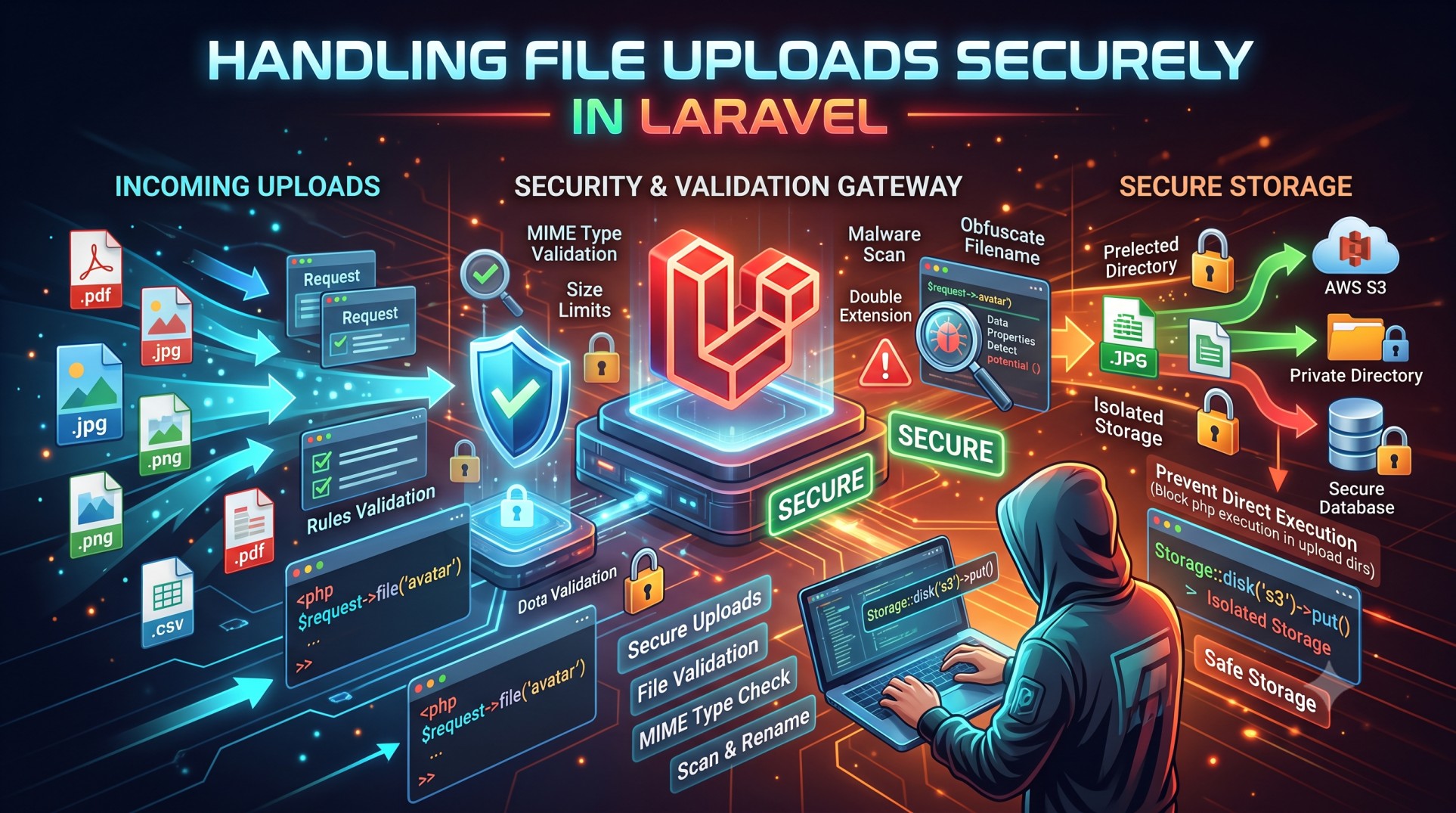
At a high level, handling file uploads in Laravel involves:
-
Accepting user input
-
Validating the file type, size, and format
-
Choosing a secure storage location
-
Generating safe, unique file names
-
Restricting access to private files
-
Preventing execution of uploaded content
The framework streamlines this workflow while giving developers control over every layer of security.
Common File Upload Threats
Before defending against them, you must recognize the primary risks:
1. Malicious File Execution
Attackers may upload code disguised with image extensions (e.g., .php.jpg) or exploit MIME type vulnerabilities.
2. Directory Traversal
Unsanitized file names could allow users to override existing system files.
3. Storage Overflows
Large, unvalidated files can fill disk space, affecting performance.
4. Unauthorized Access
Storing sensitive user files publicly risks data leakage.
5. MIME Type Spoofing
Some browsers misreport file types; validations must be strict.
The goal is defence-in-depth — layered protection where multiple checks reinforce one another.
1. Validate Uploaded File Types
Validation is your first line of defence. Users should not be allowed to upload arbitrary file types. For example:
-
Profile pictures: only JPEG, PNG, WEBP
-
Documents: PDF, DOCX
-
Media files: MP4, WAV
Allowlisting file types is safer than blocklisting because attackers are always finding new tricks.
Avoid trusting:
-
Browser headers
-
File extensions
Instead, inspect real file MIME types and enforce strict constraints.
2. Limit File Size
Without upload size limits, attackers could upload huge files to exhaust disk space or overload disk I/O.
Laravel allows strict size validation. Reasonable limits include:
-
Profile photos: 1–3MB
-
PDFs: 5–10MB
-
Videos: subject to business policy
Size limits reduce the risk of storage exhaustion attacks.
3. Rename Files to Prevent Collisions
Never use original file names as stored names. Users may upload:
-
Duplicate names
-
Dangerous names
-
Names containing path traversal characters
Randomized, unique names avoid collisions and preserve privacy. This ensures that uploaded files cannot overwrite critical system files even by accident.
4. Choose Safe Storage Locations
Laravel offers three main storage disks:
Public Disk
Accessible from the web. Suitable only for harmless media that doesn’t contain sensitive information.
Private Disk
Not publicly accessible; retrieved via secure routes with authentication. Perfect for invoices, reports, business documents.
Cloud Storage
Amazon S3, DigitalOcean Spaces, etc.
Cloud storage benefits include:
-
Built-in redundancy
-
Virus scanning options
-
Secure object policies
Selecting the correct disk type drastically reduces exposure.
5. Restrict Direct File Access
Storing sensitive files in the public directory is a critical security mistake. Attackers can:
-
Browse files
-
Download confidential data
-
Enumerate directories
Instead, always restrict access:
-
Serve files through controlled routes
-
Check user permissions before return
This ensures authorization enforcement.
6. Prevent Executable File Uploads
Malicious executables include:
-
.php -
.exe -
.sh -
.js -
.asp
Never allow interpretive scripting languages to be stored in publicly accessible directories. Even if MIME type validation passes, attackers may exploit double-extension tricks.
7. Verify MIME Types Properly
Content-type headers can be spoofed. Developers should:
-
Inspect binary signatures when necessary
-
Reject suspicious MIME patterns
-
Avoid trusting only extension checks
Some frameworks rely on client-side tools that attackers can bypass easily. Laravel’s server-side validation strengthens protection.
8. Validate Image Dimensions
For image uploads, checking resolution can prevent hidden payloads. Oversized images:
-
Consume system CPU during resizing
-
Trigger denial-of-service (DoS)
Dimension validation keeps processing overhead predictable and safe.
9. Sanitize Metadata
Image files often contain EXIF data, such as:
-
GPS coordinates
-
Device information
-
Personal identifiers
When privacy matters, strip EXIF metadata. This protects user identity.
10. Compress and Optimize Media Files
Large files degrade performance. Good practices include:
-
Restricting video formats
-
Optimizing images
-
Normalizing audio
Optimized files result in:
-
Faster load times
-
Lower storage costs
11. Use Document Scanning and Antivirus Tools
Enterprise environments may require malware scanning. Tools are available to detect:
-
Trojan signatures
-
PDF exploits
-
Embedded malicious macros
Integrating antivirus scanning on upload increases confidence.
12. Store Sensitive Files Outside Public Root
A proven strategy:
-
Keep uploaded files outside
public -
Access via Laravel controllers
This ensures no direct web exposure.
13. Use Temporary Storage for Processing
When performing transformations:
-
Thumbnails
-
Previews
-
Watermarks
Store the original temporarily, validate, then commit to permanent storage. Detect tampering before storing content long-term.
14. Clean Up Temporary Storage
Temporary files consume disk space over time. Always remove:
-
Failed uploads
-
Chunked upload artifacts
-
Draft files
This avoids storage leaks.
15. Protect Against Path Traversal
Never trust user-supplied directory paths. Attackers use sequences like:
to access unauthorized directories.
Laravel protects against this if you avoid manual path assembly.
16. Log Upload Activity
Logs help detect:
-
Suspicious user behavior
-
Unusual file sizes
-
Unexpected file extensions
Logging assists forensic analysis after an incident.
17. Consider Rate Limiting
Attackers may upload:
-
Thousands of files
-
Very large files repeatedly
Laravel rate limiting stops mass upload attacks and bandwidth abuse.
18. Protect File Previews
If your SaaS allows previews:
-
Render thumbnails server-side
-
Convert documents to safe formats
Never allow direct rendering of user-supplied HTML or SVG in a browser — it could lead to XSS attacks.
19. Monitor Disk Usage
Growing upload directories can:
-
Crash servers
-
Break databases
-
Trigger outages
Set alerts and cleanup policies.
20. GDPR and Compliance Considerations
If you serve European users:
-
Users must consent to data storage
-
Users may request deletion
-
Encryption may be required
Compliance isn’t just technical — it’s legal.
Conclusion
File uploads are powerful but risky features. Laravel provides an excellent foundation for building secure upload systems, but developers must apply best practices deliberately.
By validating file types, restricting storage access, logging activity, and preventing executable uploads, you significantly reduce the attack surface. Taking storage location decisions seriously and protecting private uploads through authenticated routes ensure that sensitive information remains secure.
In a world where cyber threats are increasing, secure file upload strategies are non-negotiable. Laravel gives you the tools you need — the responsibility lies in how you configure them.
A thoughtful and layered approach ensures your application remains reliable, compliant, safe, and trustworthy.


